Project Case Study
AgroGuard
Crop Issue Reporting & Expert Advisory Support Platform
AgroGuard helps farmers document crop issues with photos, location, farm context, and crop records, then connects those reports to admins and verified experts for structured advisory support.
Problem
- Farmers often report crop issues informally through phone calls or WhatsApp messages.
- Important details like photos, farm context, crop records, location, and timeline are easily lost in informal channels.
- Experts and admins need structured, consistent data to review and track cases properly.
- Without a system of record, there is no way to follow up, assign, or track the full lifecycle of a crop issue.
Solution
AgroGuard turns informal crop complaints into structured, trackable advisory workflows. The platform connects farmers, admins, and verified experts in a single report lifecycle:
Product Walkthrough
Farmer logs in
Farmer manages farms, fields & crops
Farmer creates a report
Farmer adds symptoms, date, location & photos
Farmer submits the report
Admin assigns the report
Expert reviews and sends advisory
Farmer receives notification & follows up
Mobile App
The farmer-facing mobile app built with React Native and Expo. Farmers manage farms, fields, and crop records, then create structured crop issue reports with photos, location, and context.
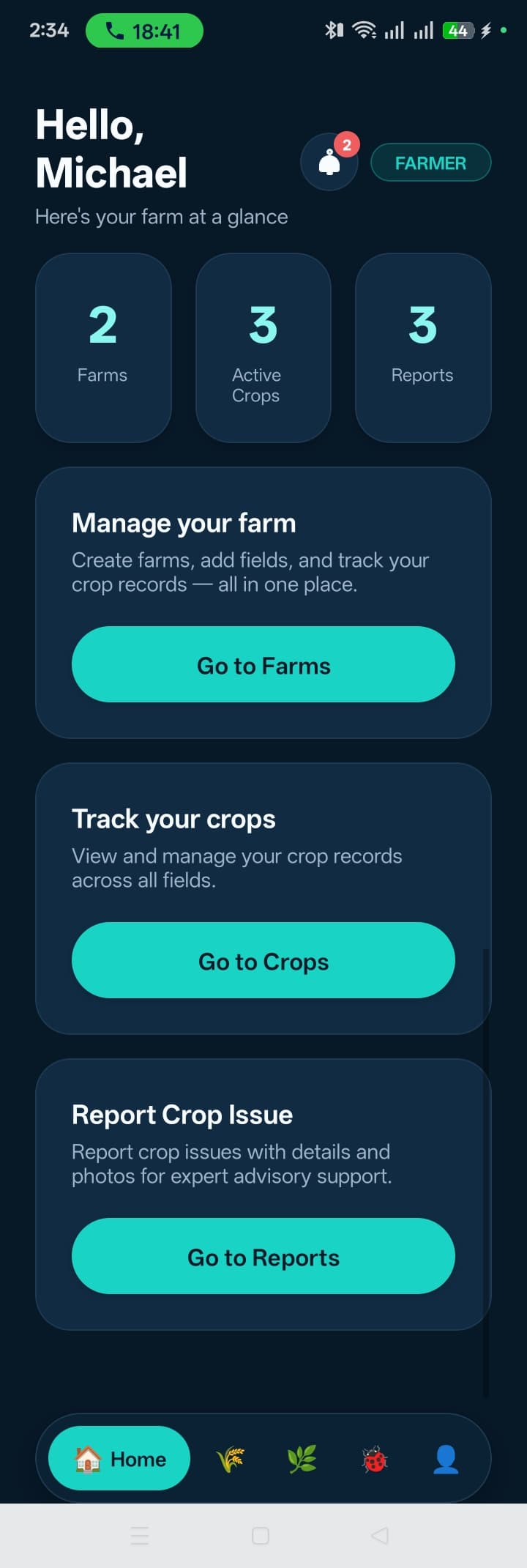
Home Dashboard
Farmer landing screen with quick access to reports, farms, and notifications.
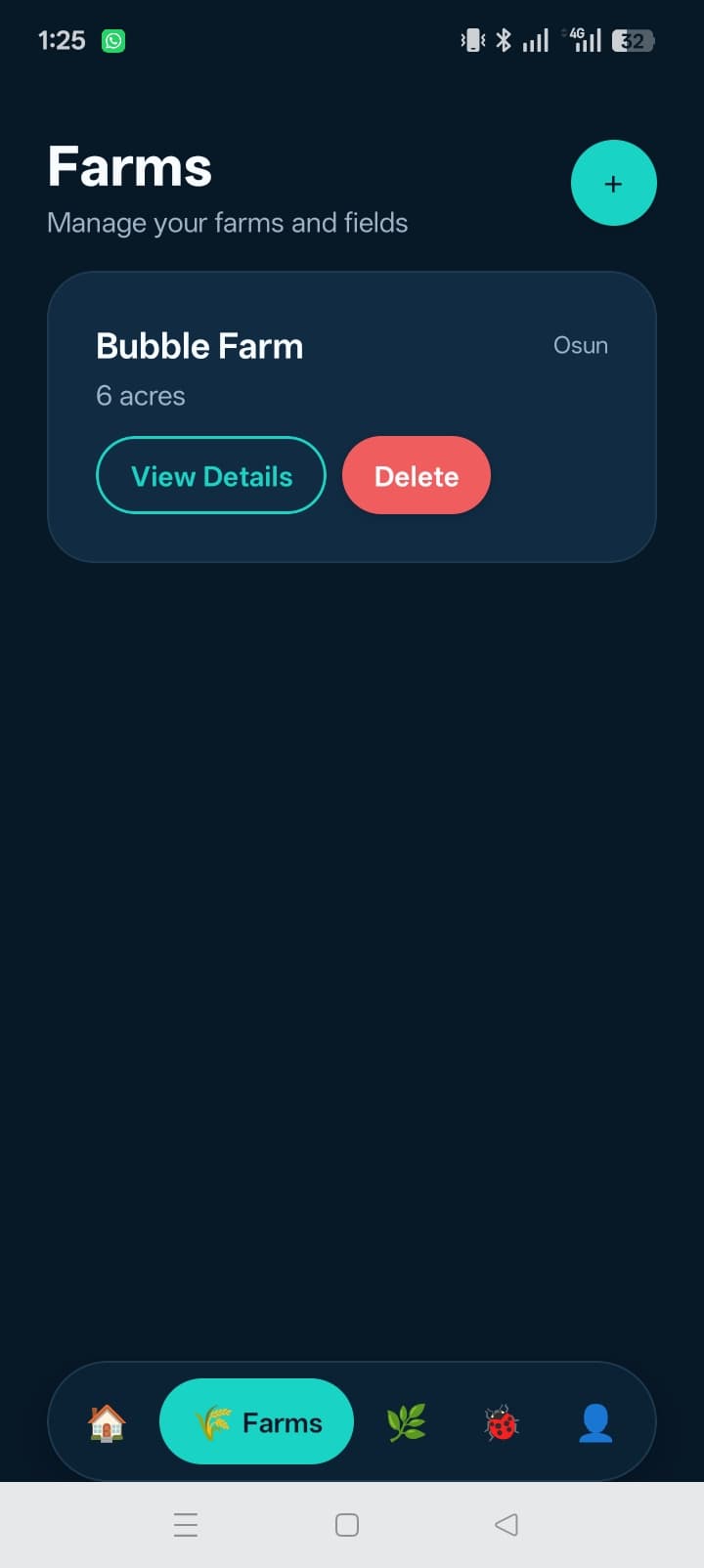
Farms
Farmers manage their registered farms with names and locations.
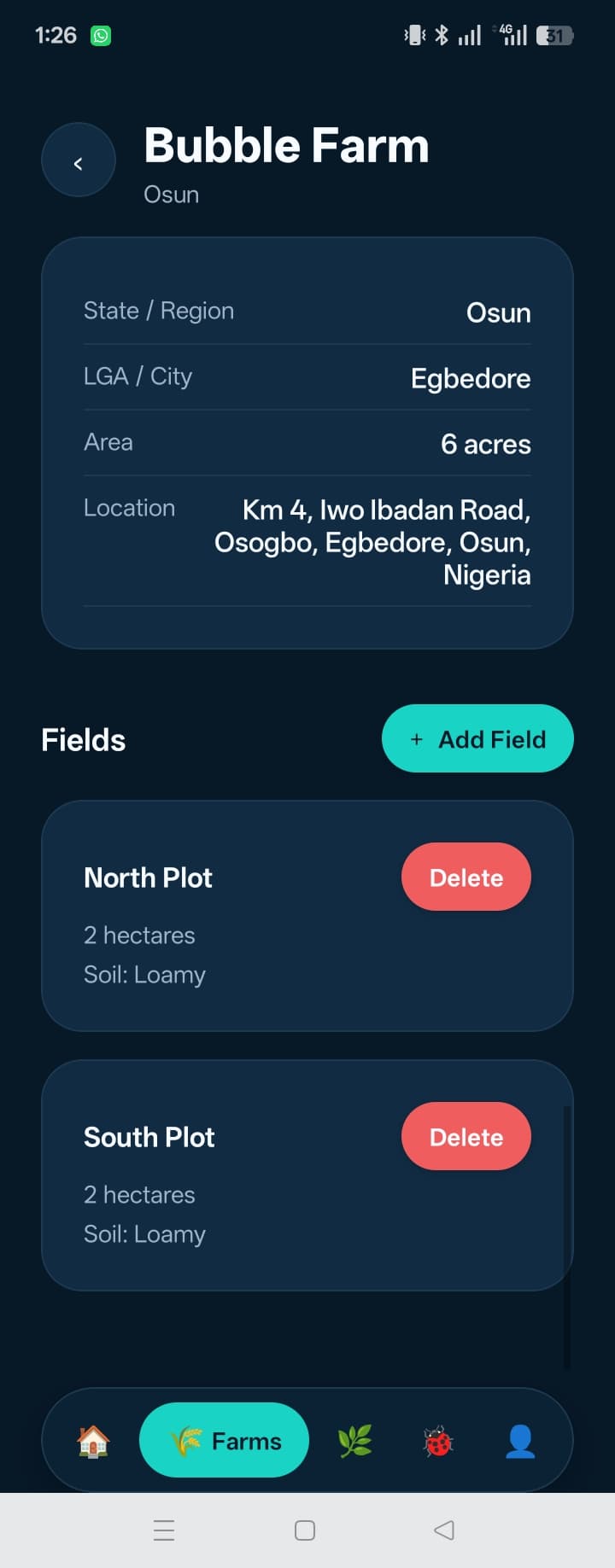
Fields
Fields within each farm, tracked individually for crop context.
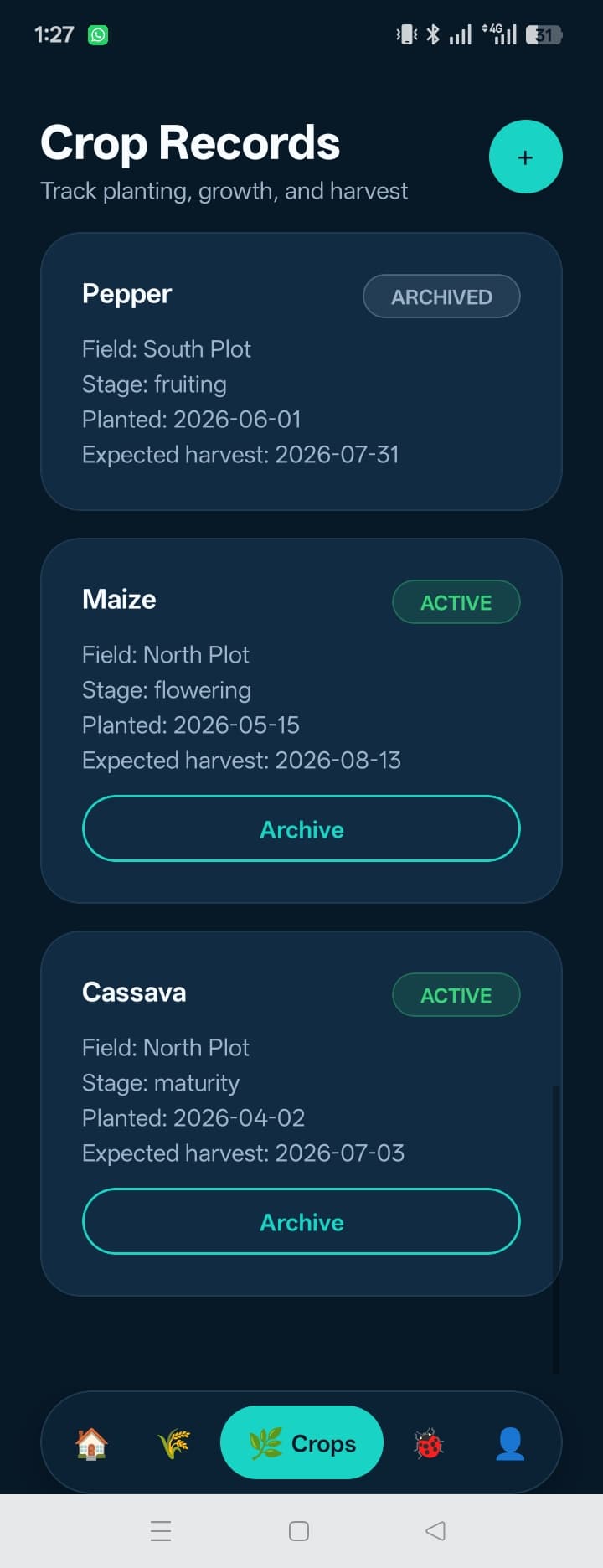
Crop Records
Crop records tied to specific fields, including planting details.
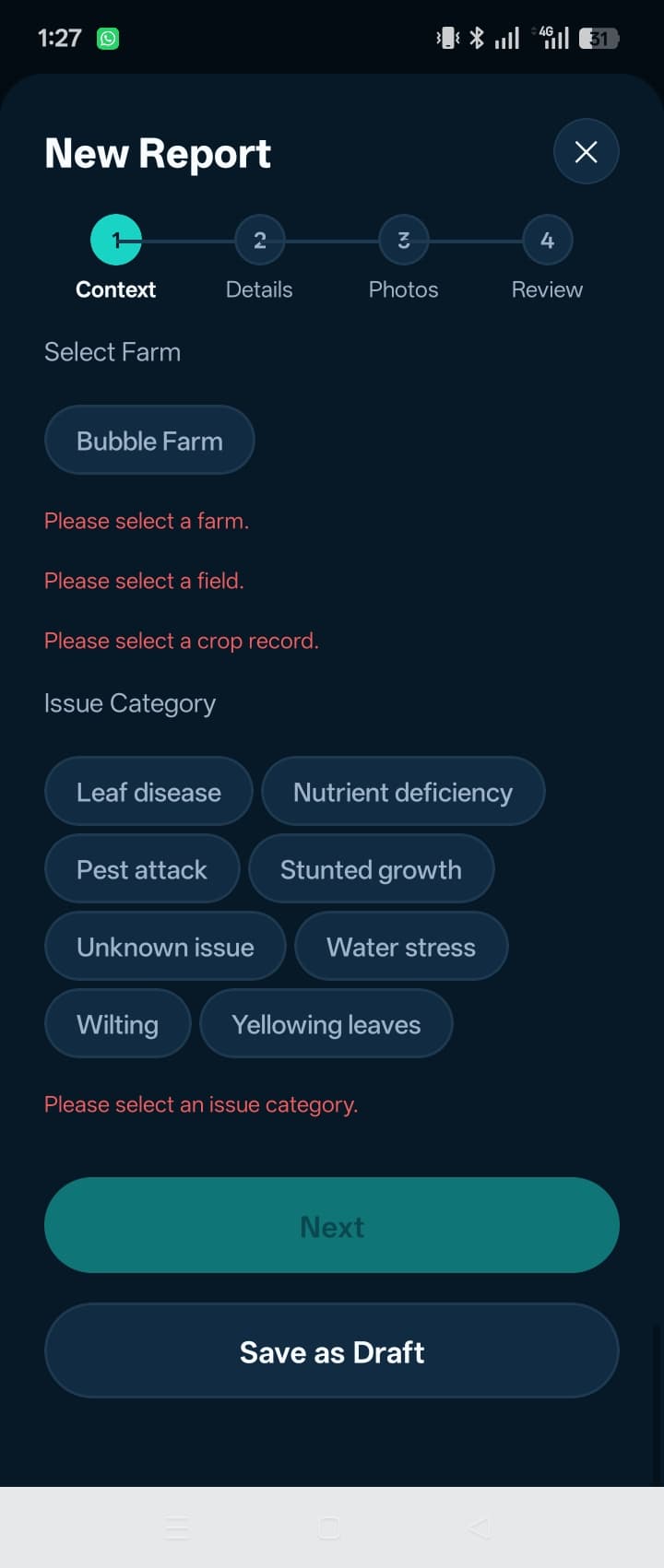
Reports List
All submitted crop issue reports with status badges.
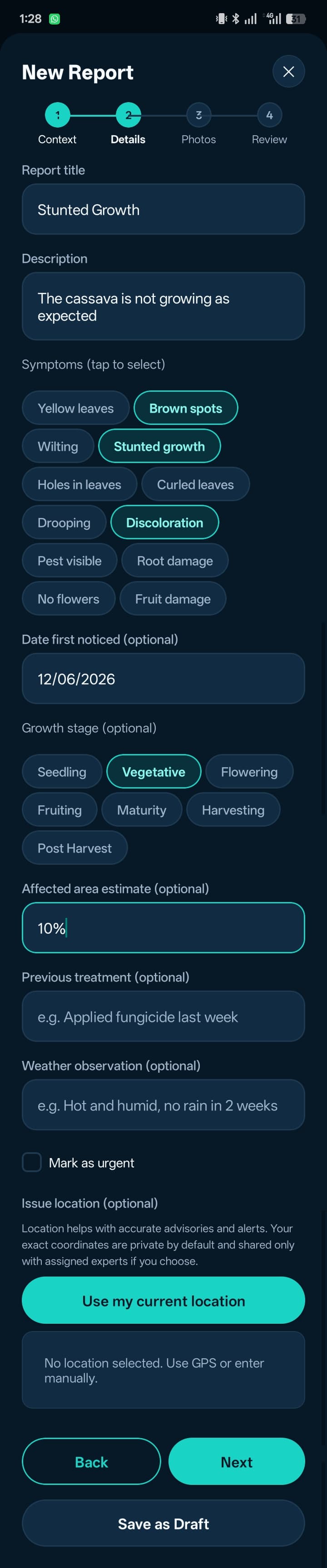
Report Wizard — Details
Structured report form capturing symptoms and context.
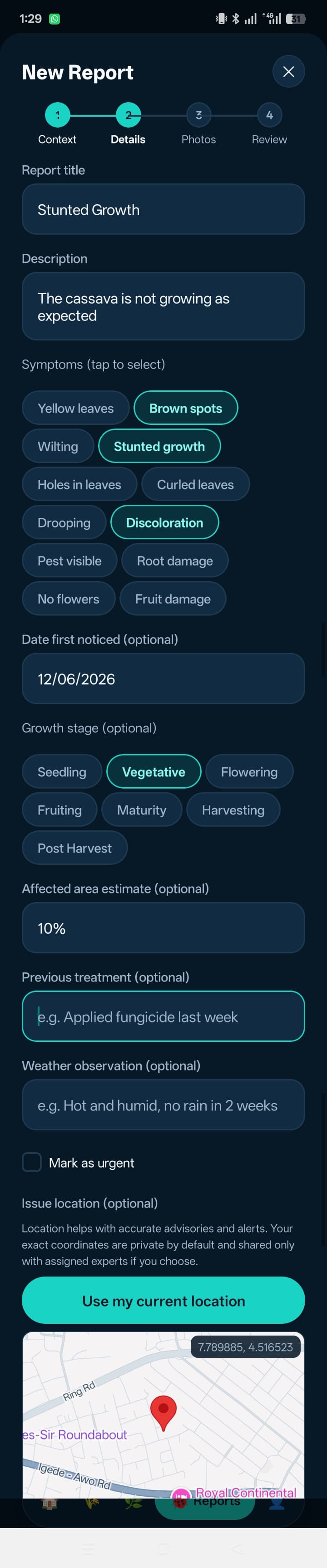
Report Wizard — Location
Location capture for precise farm-level issue tracking.
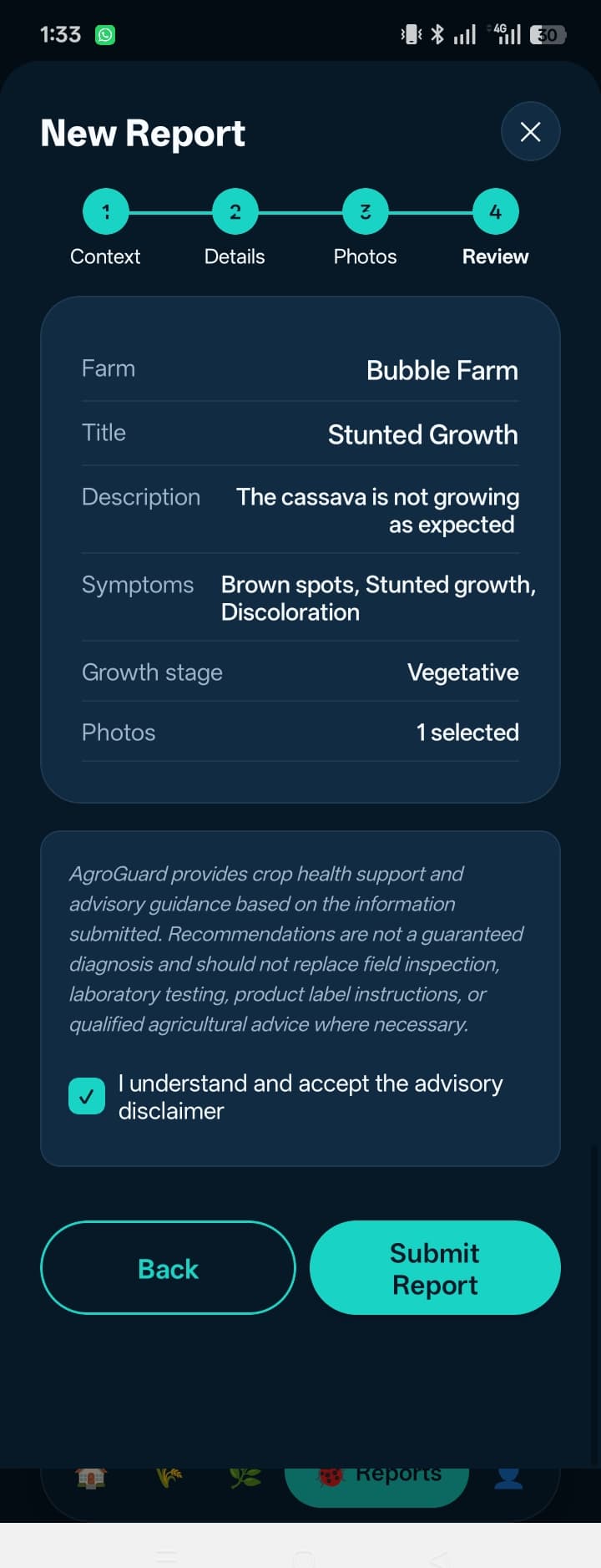
Report Wizard — Review
Review summary before submitting the report.
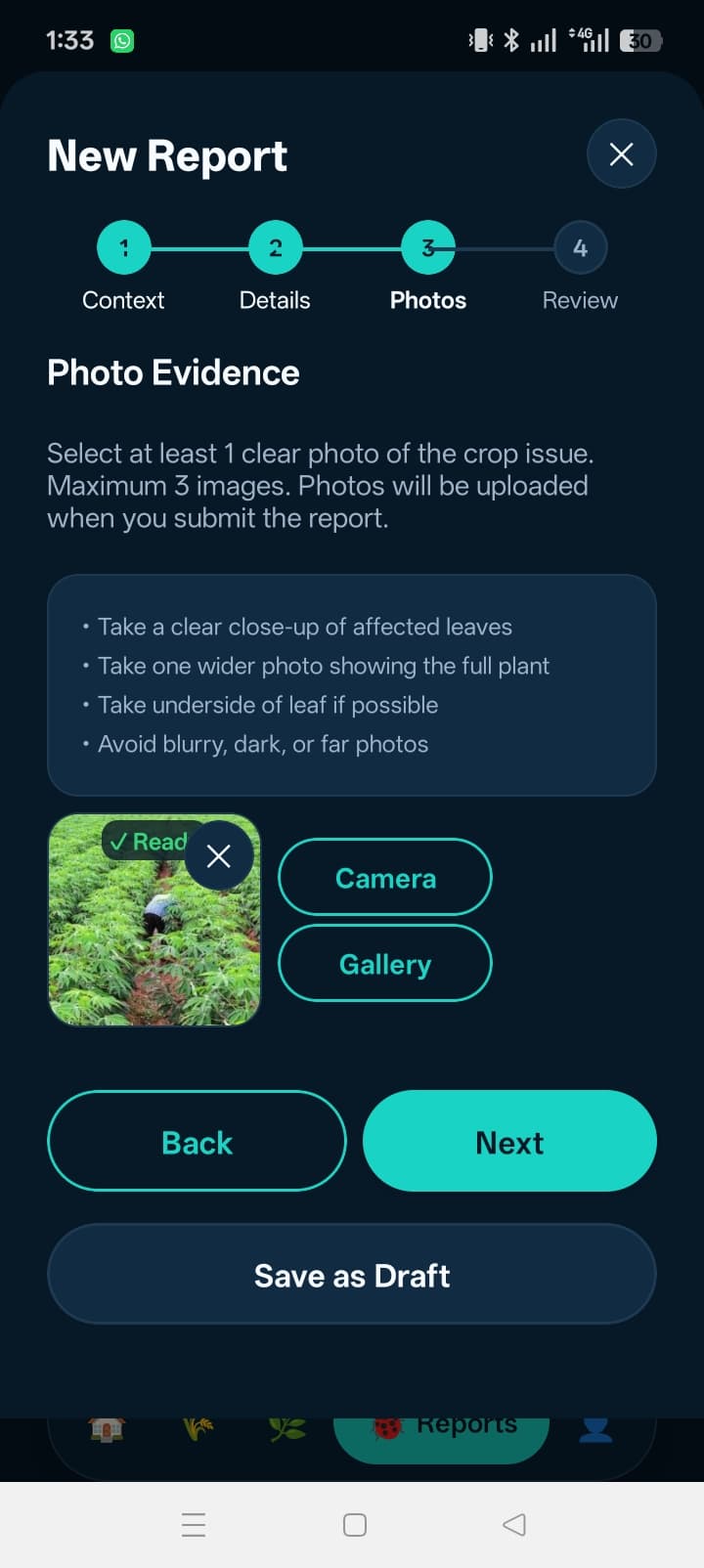
Report Wizard — Photos
Photo upload for visual evidence of the crop issue.
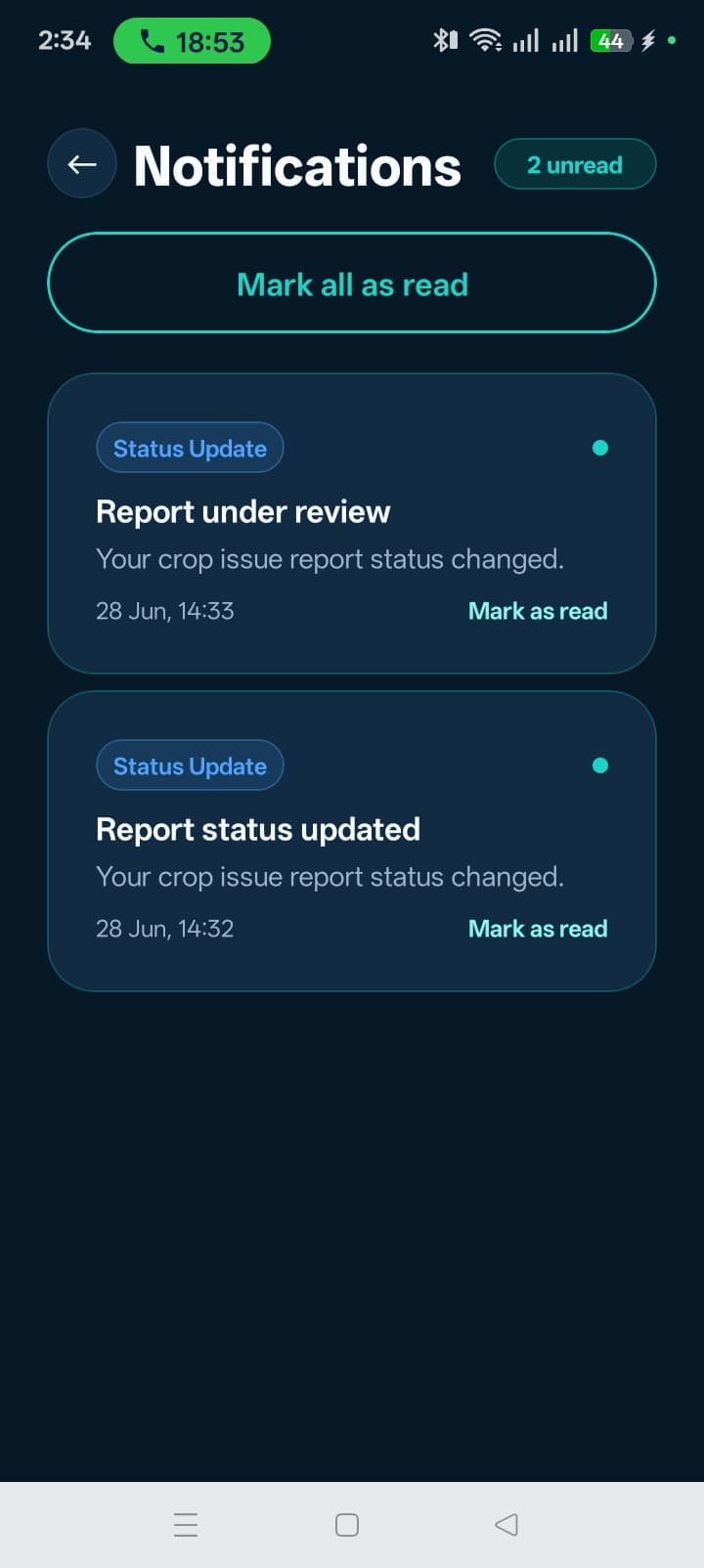
Notifications
In-app notifications when advisory or updates arrive.
Advisory & Notifications
When an expert sends advisory on a report, the farmer receives an in-app notification and can read the advisory note directly in the app.
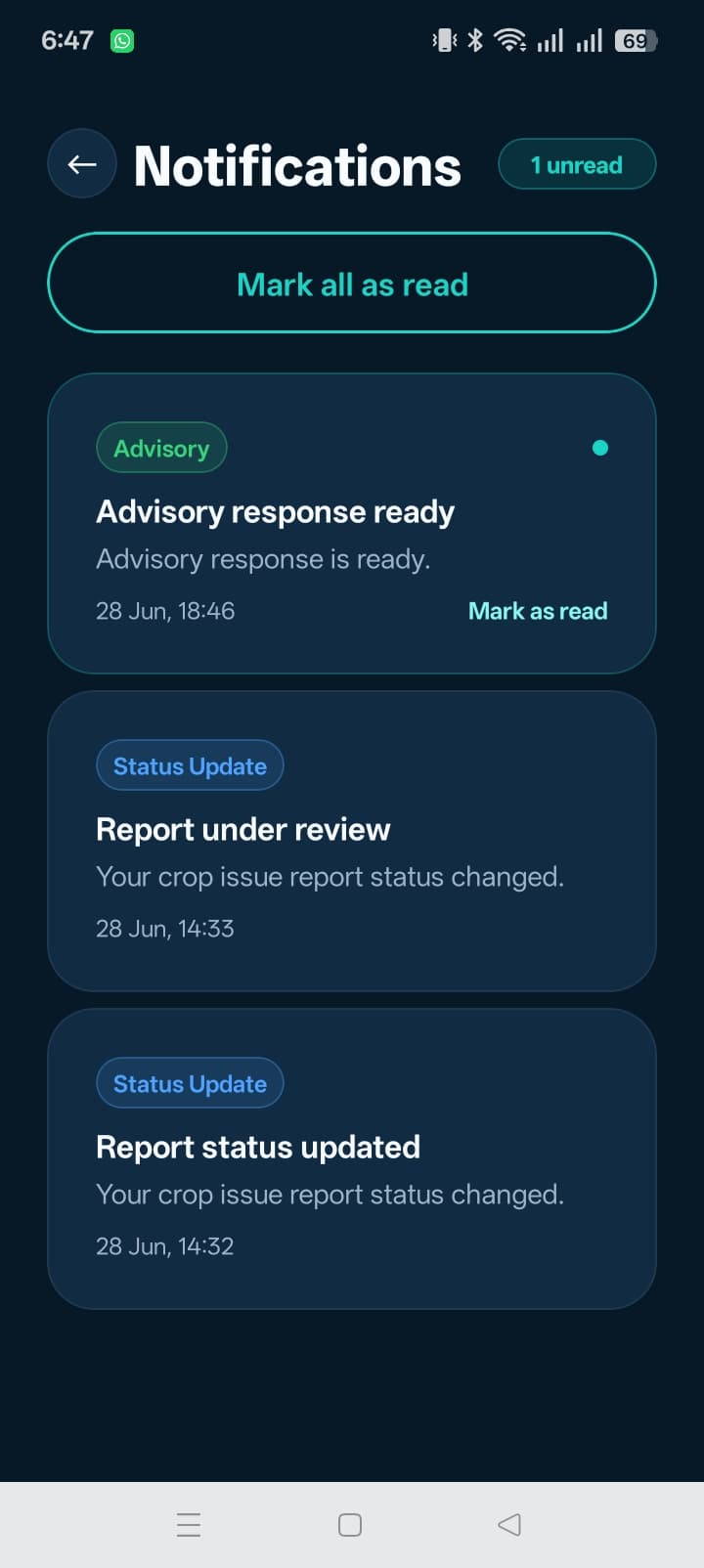
Advisory Notification
Farmer receives an in-app notification when expert advisory is sent on their report.

Report Detail After Advisory
Farmer reads the expert's advisory note on the report detail page, with option to submit a follow-up response.
Offline Drafts
Reports can be drafted offline and saved locally via SQLite. When connectivity returns, drafts are synced to the backend automatically.
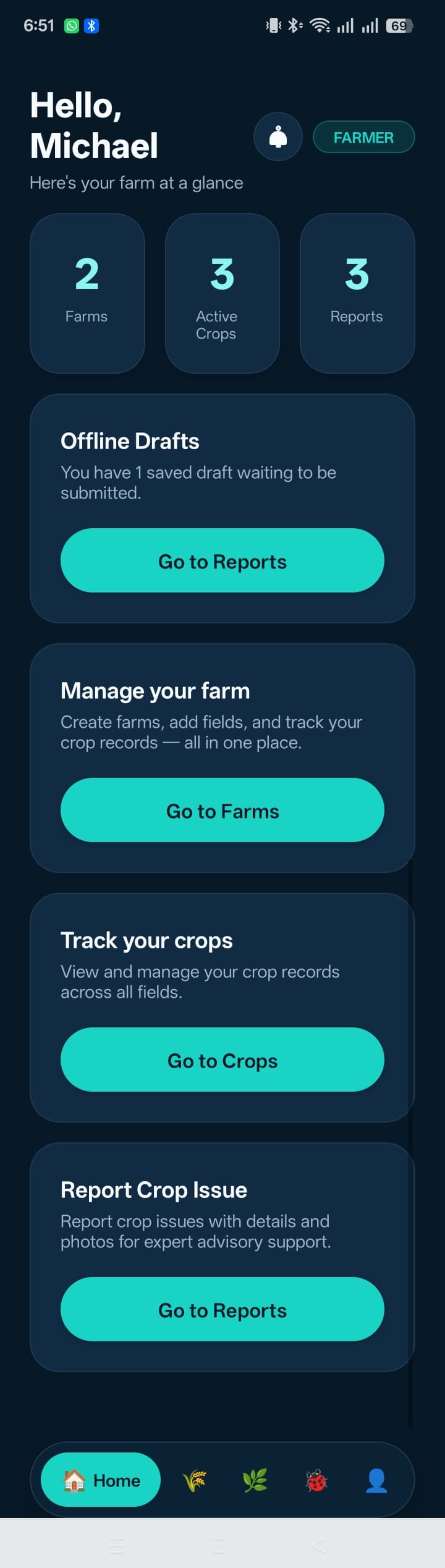
Offline Drafts & Retry
Reports drafted offline are saved locally via SQLite and automatically synced when connectivity returns. Drafts can be retried if submission fails.
Admin & Expert Dashboard
The Next.js dashboard serves both admins and verified experts. Admins manage incoming reports, assign them to experts, and monitor activity through audit logs. Experts review assigned reports, request more information, send advisory notes, and track follow-up — all within a role-based interface.
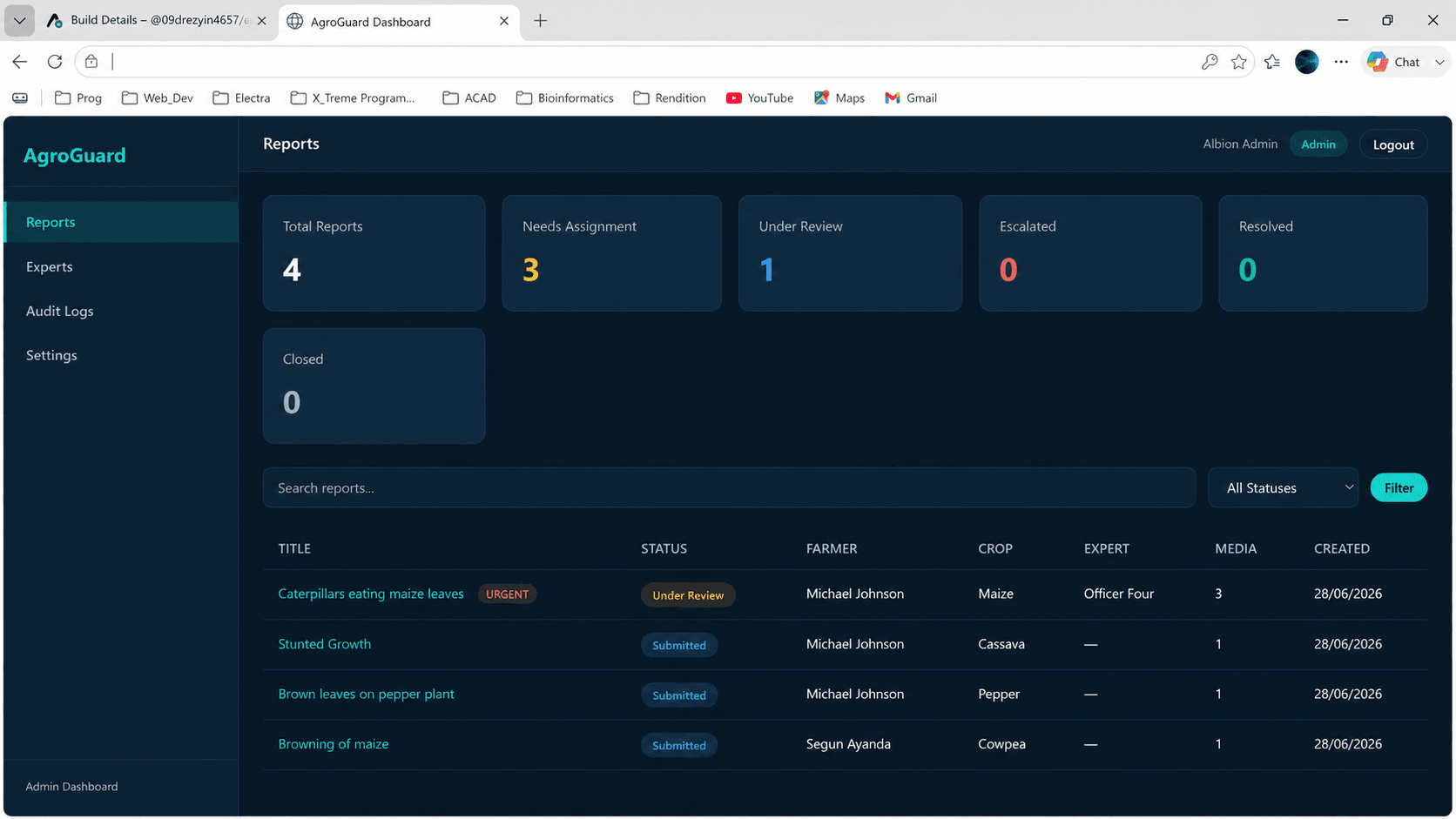
Admin Dashboard
Overview of all crop issue reports, stats, and expert workload.
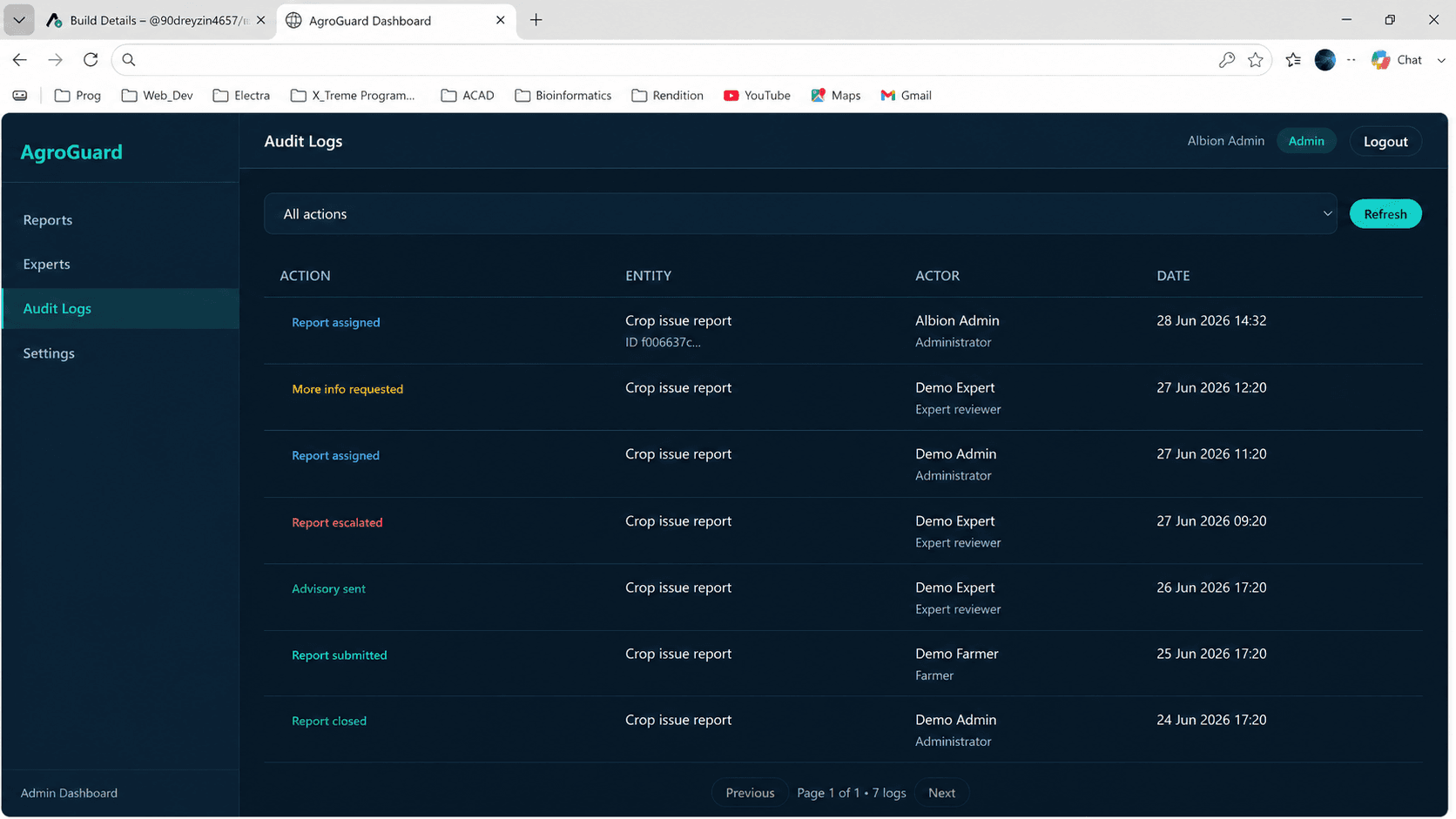
Admin Report Detail & Assignment
Admin report detail view with assignment panel for routing reports to verified experts.
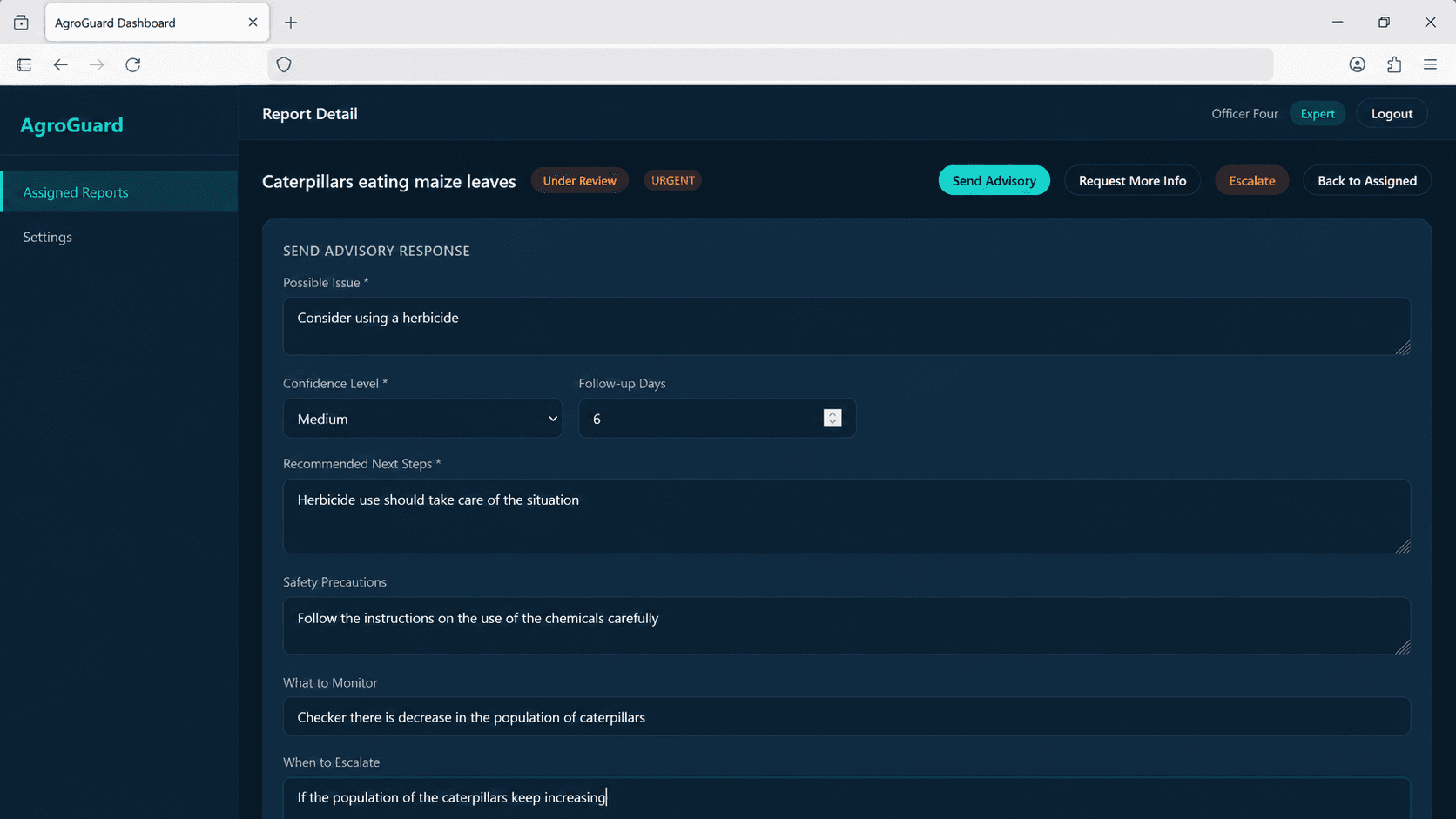
Expert Advisory Form
Expert review interface for sending advisory notes, requesting more information, and tracking follow-up on assigned reports.
Architecture
Mobile App
Backend API
Database
Media Storage
Admin Dashboard
Auth & Security
System Diagram
  Mobile App (React Native / Expo)
      │
      ├──▶ NestJS REST API ──▶ PostgreSQL (Prisma ORM)
      │         │
      │         └──▶ AWS S3 (presigned uploads, signed reads)
      │
  Admin Dashboard (Next.js) ──▶ NestJS REST API
      │
  Expert Dashboard (Next.js) ──▶ NestJS REST API

  Offline: SQLite local drafts → sync when online
  Auth: JWT access/refresh tokens, RBAC, object-level auth
Technical Highlights
Security & Privacy
Video Demos
Mobile Farmer Workflow
Mobile farmer workflow — real app walkthrough
Admin Dashboard Demo
Outcome
- Production deployed: mobile app, backend API, and admin/expert dashboard all live
- End-to-end farmer-to-expert advisory workflow in active use
- Offline-ready report creation for low-connectivity environments
- Privacy-conscious media handling with private S3 and signed URLs
- Currently in test-user trials — farmers, admins, and experts actively using the platform with strong positive feedback
Future Roadmap
- Push notifications for advisory and assignment updates
- Multi-language support: Yoruba, Hausa, Igbo
- Real-time notifications via WebSocket
- Expert workload analytics and assignment balancing
- AI-assisted triage as non-final, expert-reviewed support
Let's Build Together
Interested in products like AgroGuard?
I'm open to full-time roles, contract work, and founder collaborations in agri-tech and full-stack product engineering.