Project Case Study
LifePilot AI
AI-Powered Personal Life Admin Assistant
An AI-powered mobile app that turns personal documents, screenshots, and forms into clear summaries, extracted details, tasks, and reminders. Users scan or upload a document, OCR extracts text, AI identifies what matters, and the user reviews suggestions before anything is saved.
Product Overview
LifePilot AI is a mobile-first product that helps users manage personal documents and deadlines without manually reading, extracting, and entering every detail. Instead of only storing documents, the app uses OCR and AI to understand them — generating summaries, extracting important dates and amounts, and suggesting tasks and reminders that the user can review and approve before they become active.
Problem
- Important information is often trapped inside documents — bills, receipts, rent agreements, medical slips, school forms, government documents, and screenshots.
- Users must manually read, interpret, extract, and remember key details like dates, amounts, and required actions.
- Reminders must be created manually, which is time-consuming and error-prone.
- Documents are scattered across phone gallery, email, paper, and messaging apps.
- Users forget deadlines, delay action because they have not read a document, and feel mentally overloaded by scattered responsibilities.
Target Users
Busy Adult / Personal Life Organizer
Manages personal responsibilities across work, home, family, payments, appointments, and renewals. Receives documents containing important information but may forget to act on them.
Student
Manages school forms, assignment deadlines, exam schedules, fee payments, and registration requirements with deadlines scattered across documents and screenshots.
Freelancer / Small Business Operator
Manages invoices, client agreements, receipts, payment dates, and deliverables where missing a deadline can affect business relationships.
Parent / Caregiver
Manages family-related documents, school notices, medical appointments, household bills, and activity schedules where multiple people's deadlines may overlap.
Core Document-to-Action Workflow
The product follows a focused document-to-action pipeline. Each step is designed to reduce manual effort while keeping the user in control:
Scan or upload a document
OCR extracts text from the file
AI generates summary and extracts key details
User reviews AI suggestions
Approved tasks and reminders appear on dashboard
Notifications fire before deadlines
Product Walkthrough
The mobile app built with React Native and Expo. Users start from the home dashboard, scan or upload a document, and follow the processing pipeline through to approved tasks and reminders.
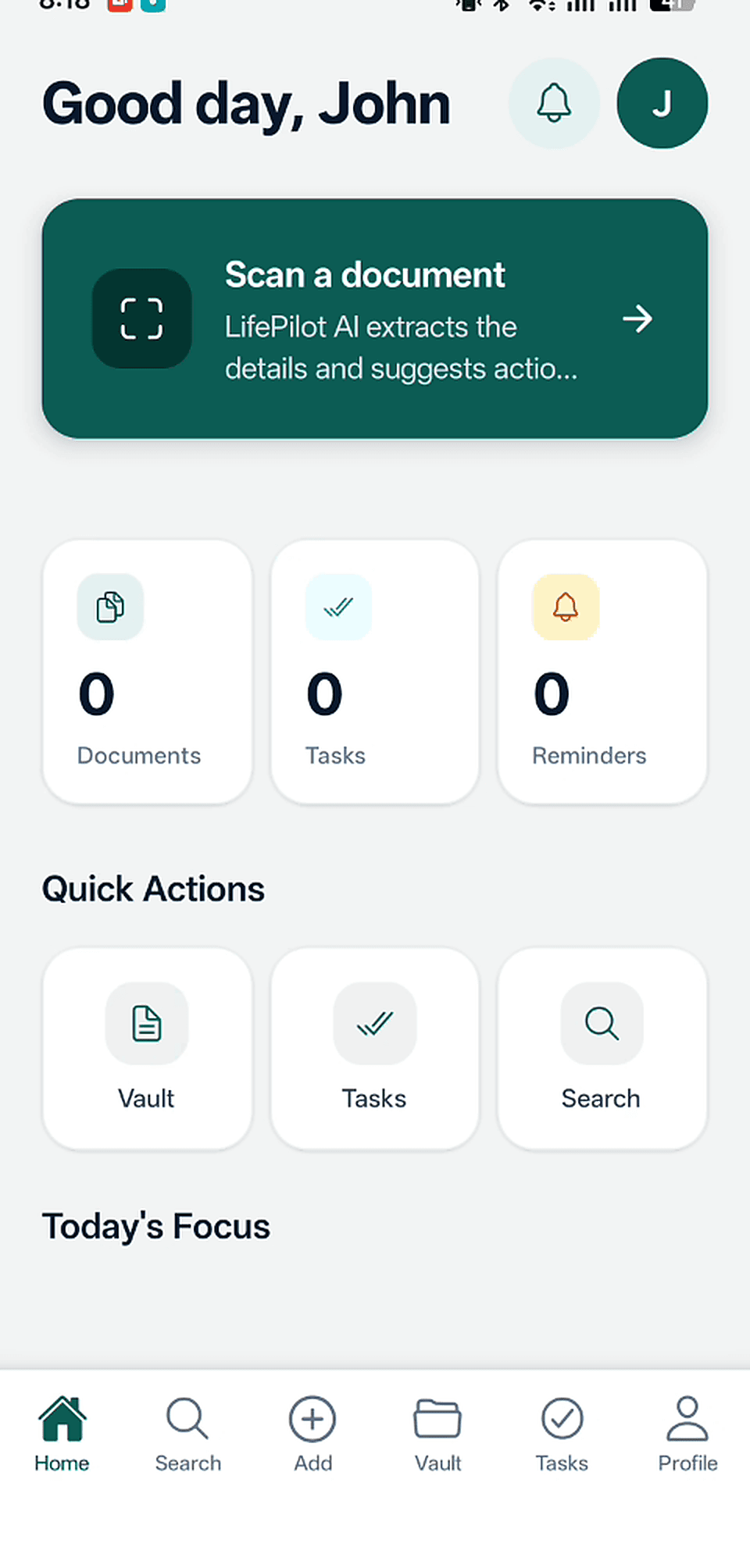
Home Dashboard
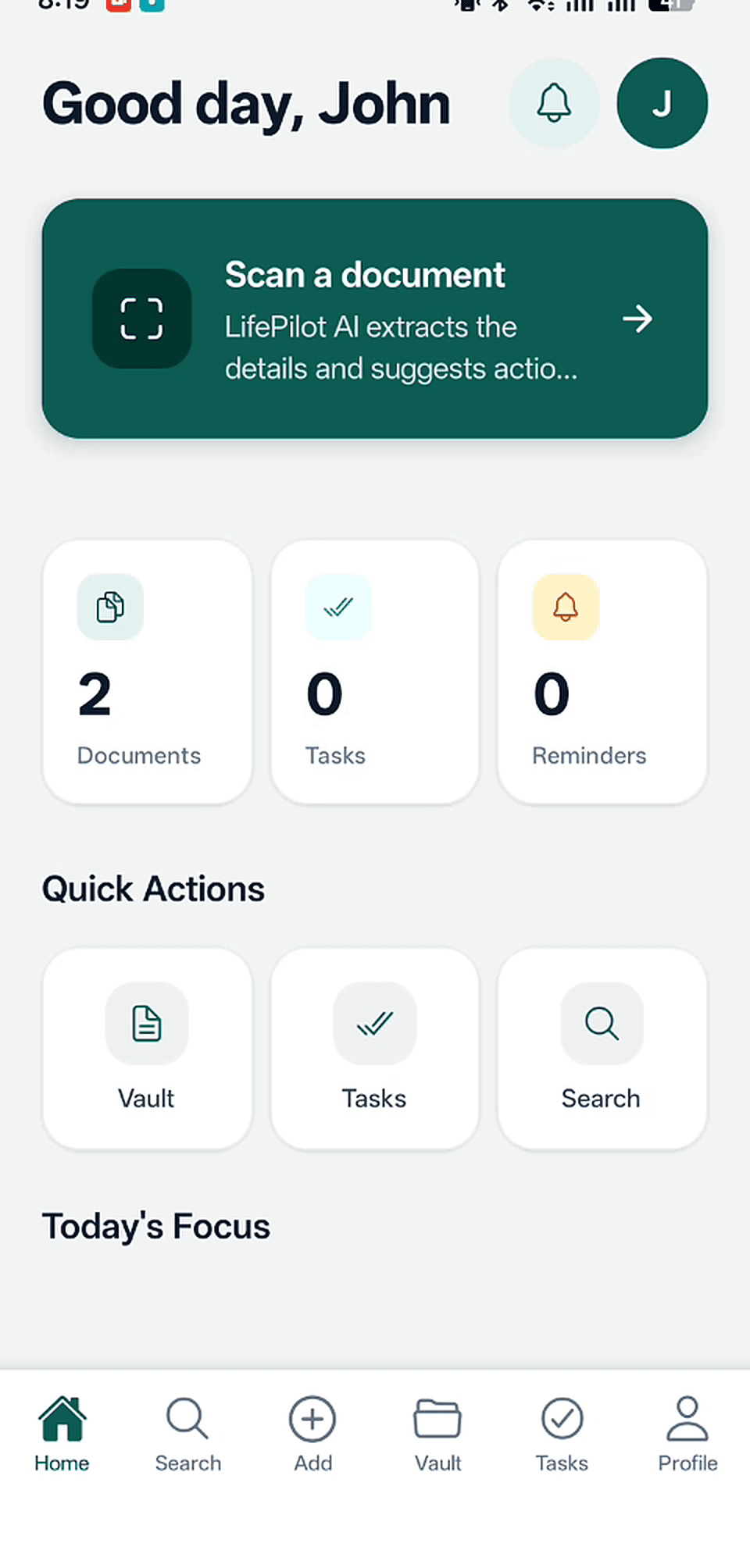
The user's command center showing Today's Focus, upcoming deadlines, documents needing review, and quick actions to scan or upload.
Add a Document
Upload options including camera photo, image upload, PDF upload, and screenshot upload.
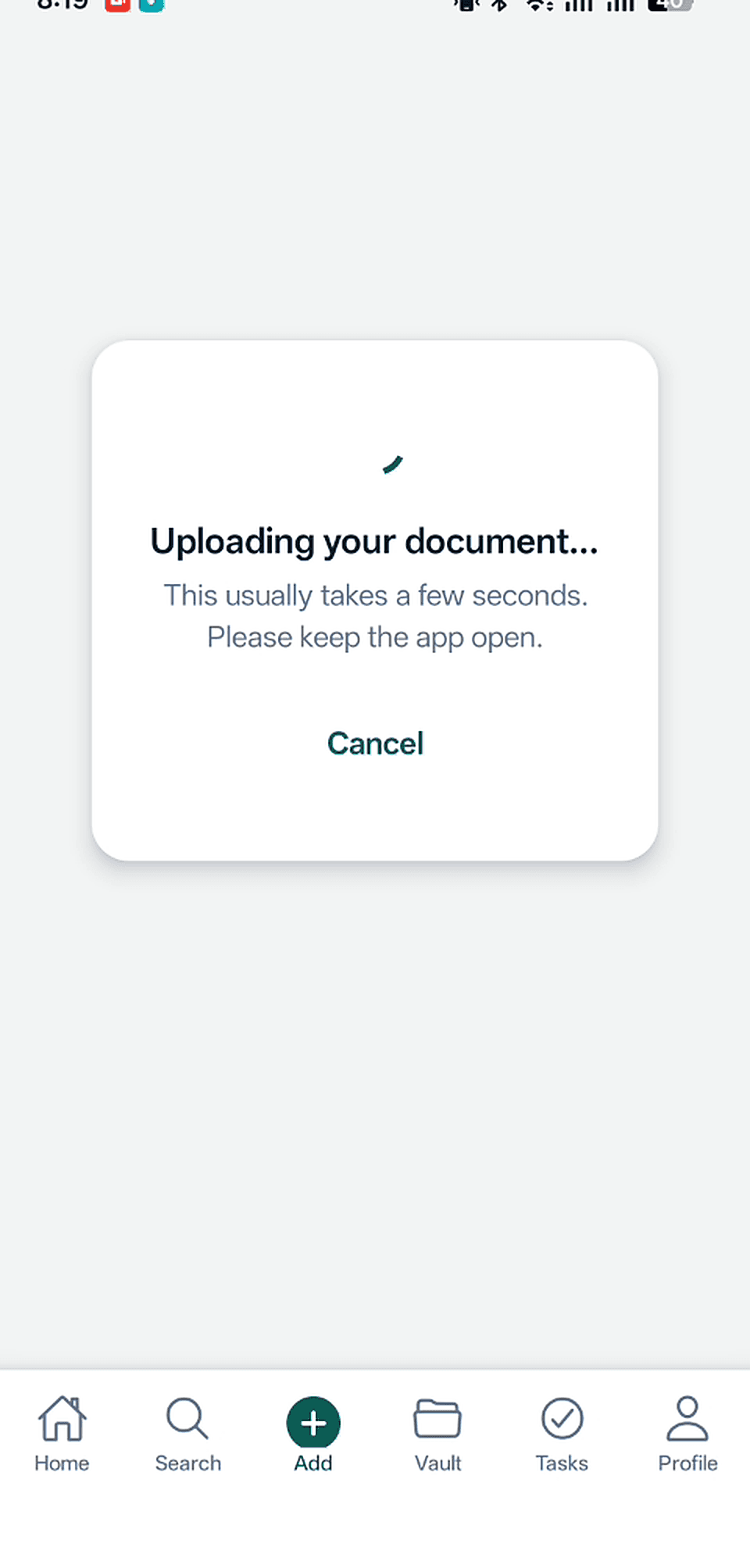
Upload Confirmation
Document uploaded successfully and queued for OCR and AI processing.
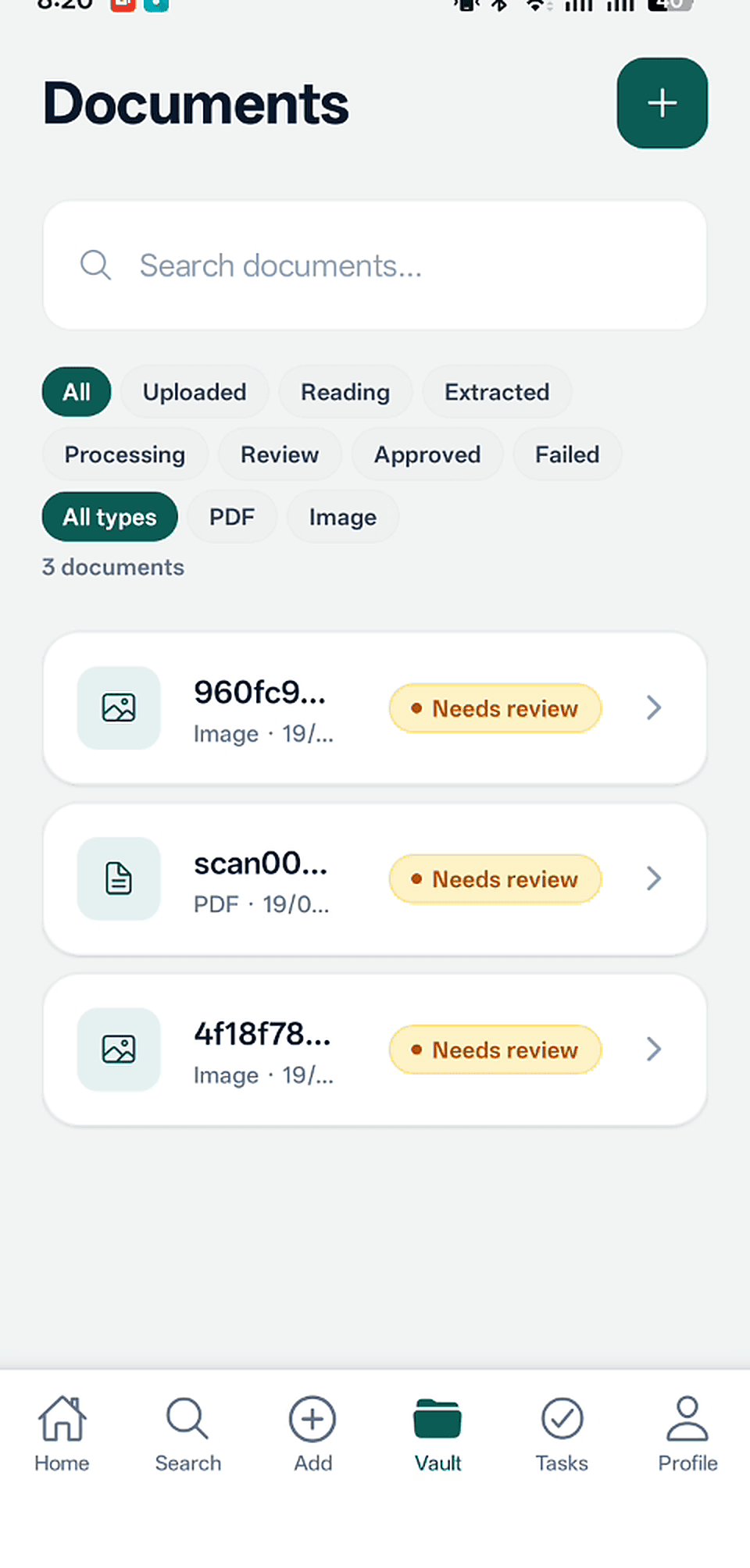
Document Vault
All saved documents organized with titles, categories, upload dates, processing status, and summary previews.
AI Result Review and User Control
The AI Result Review screen is one of the most important parts of LifePilot AI. It protects user trust by ensuring that AI-generated summaries, extracted details, tasks, and reminders do not become active automatically. AI output is treated as a draft that the user can review, edit, approve, or reject.
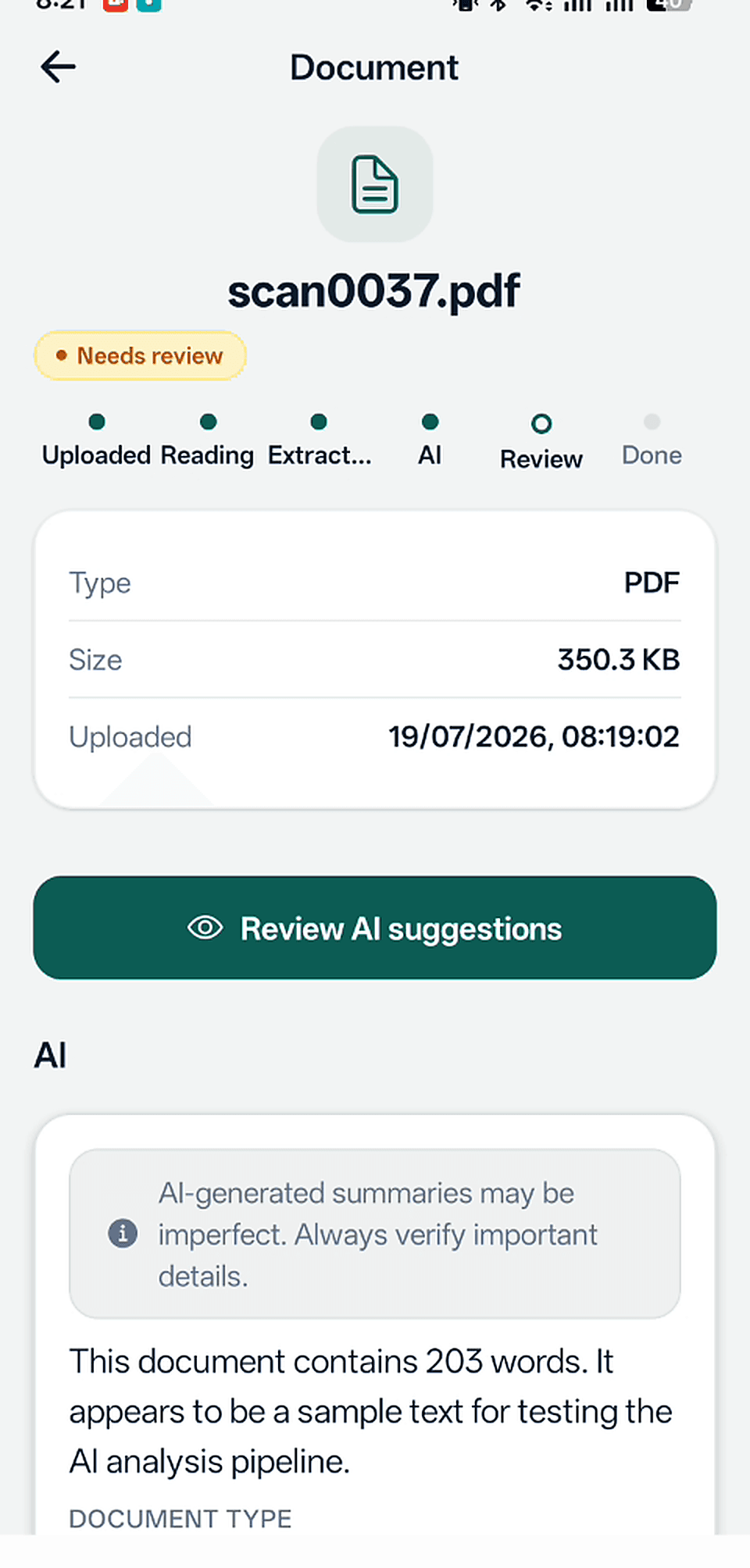
AI Document Summary
A concise plain-language summary identifying the document's purpose, important dates, amounts, names, and required actions.
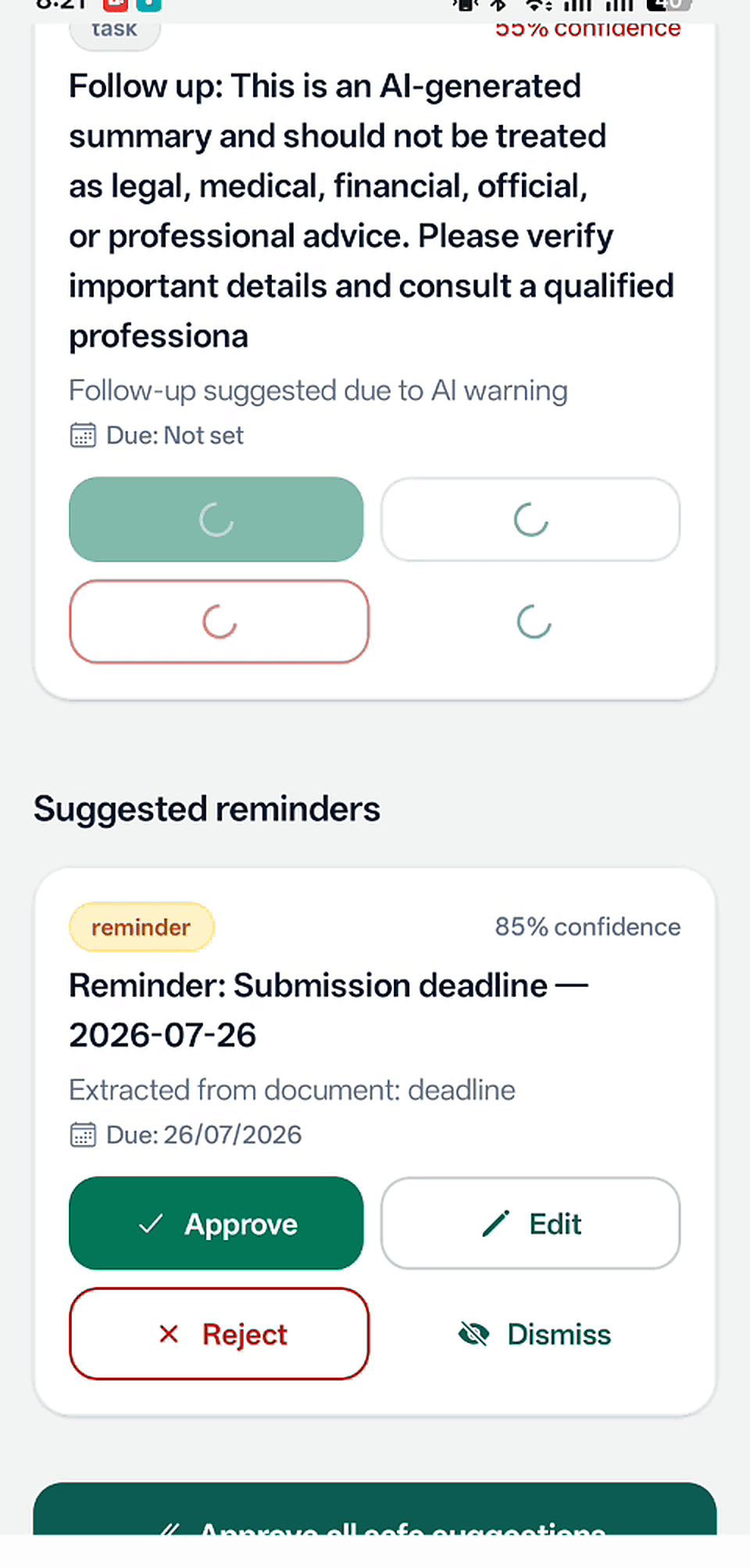
Review AI Suggestions
The review screen where users can view, edit, approve, or reject AI-generated tasks and reminders before anything is saved.
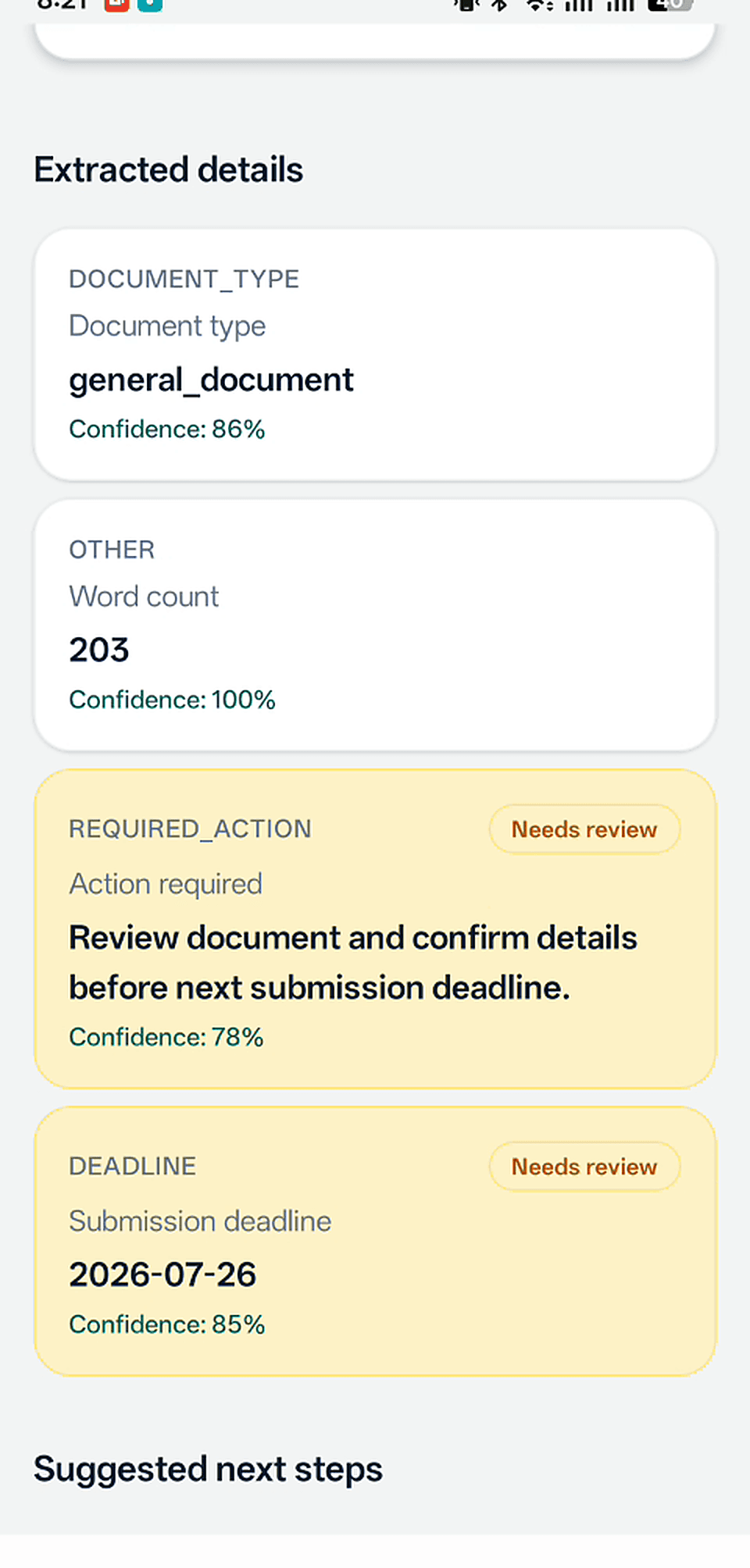
Extracted Details and Deadline
Structured details extracted from the document including dates, deadlines, amounts, names, and organizations — each editable before approval.
Document Vault
Uploaded documents, AI summaries, extracted details, and related tasks are saved in the user's private document vault. Each entry shows the document title, category, upload date, processing status, and a summary preview. Users can open document details, view AI output, and delete documents.
Tasks, Reminders and Notifications
Approved tasks appear in the task list with pending, completed, and overdue statuses. Reminders support configurable timing options including at deadline, one day before, three days before, and one week before. Push notifications are delivered via Firebase Cloud Messaging and deep-link to the related task, reminder, or document.
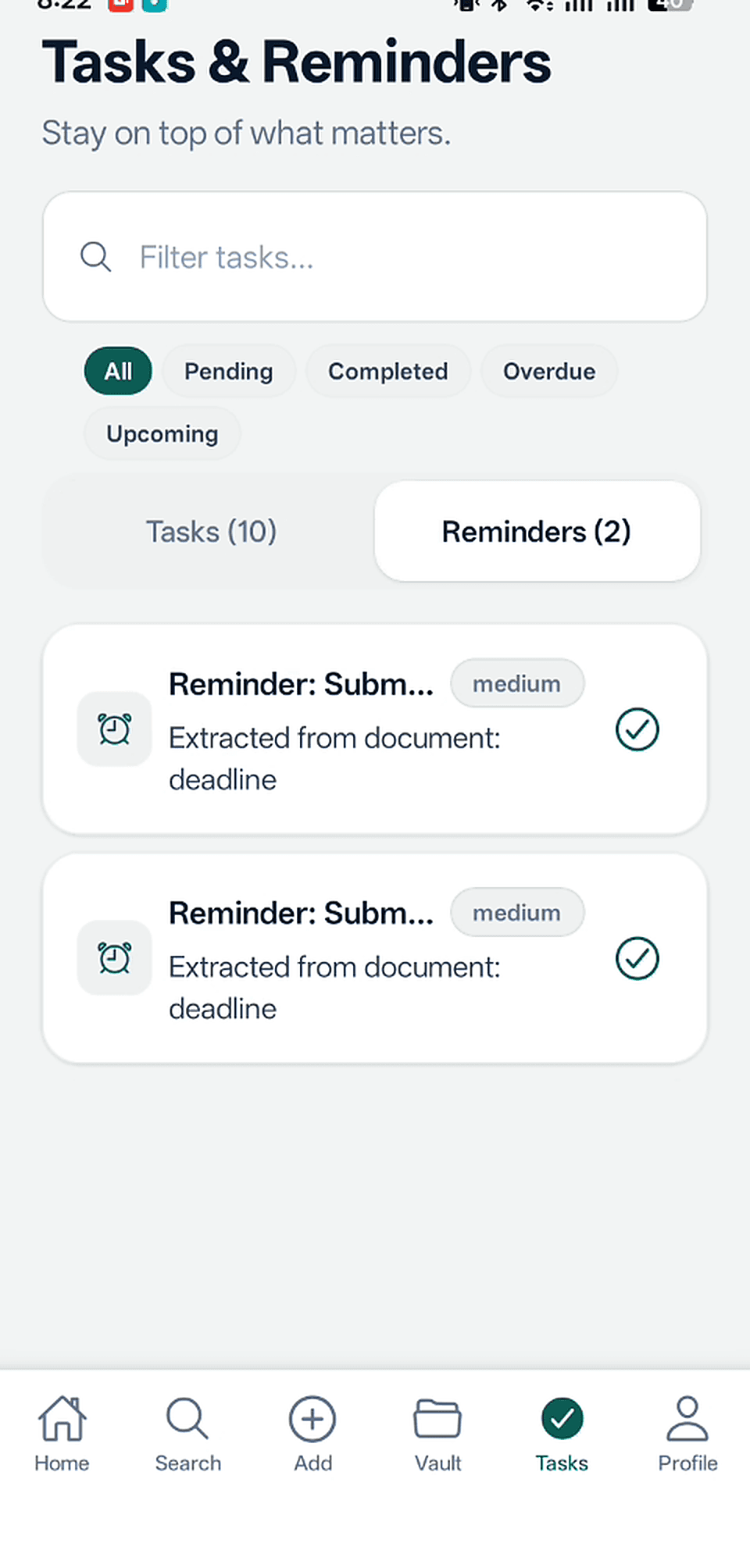
Tasks and Reminders
Approved tasks and reminders with due dates, priority levels, and links back to the source document.
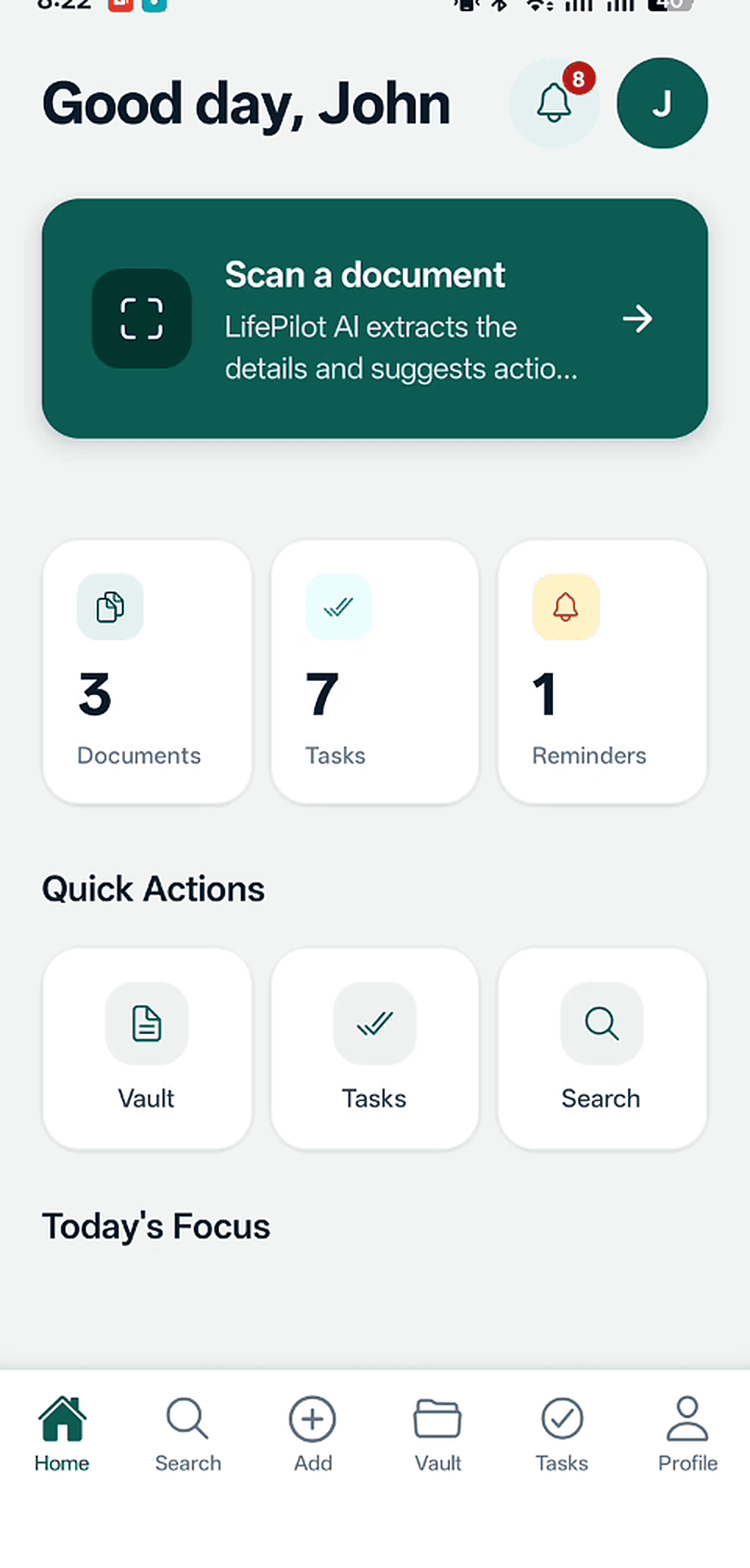
Today's Focus
The dashboard's Today's Focus section showing the most relevant tasks and reminders due today after processing documents.
Architecture
Mobile App
Backend API
Database
Media Storage
AI Processing
Background Jobs
System Diagram
  Mobile App (React Native / Expo)
      │
      ├──▶ NestJS REST API ──▶ PostgreSQL (Prisma ORM)
      │         │
      │         ├──▶ AWS S3 (presigned uploads, signed reads)
      │         ├──▶ OCR Service ──▶ AI Structured Output
      │         └──▶ Redis / BullMQ (background jobs)
      │
      Notifications: Firebase Cloud Messaging

  Auth: JWT access/refresh tokens
  AI: Structured output with confidence indicators
  User Approval: AI suggestions require explicit user review
OCR and AI Processing Pipeline
After a document is uploaded, OCR extracts text from the file. The extracted text is stored separately from the original file. If OCR output is poor or incomplete, the document is flagged for user review. Once text is extracted, AI generates a concise summary, extracts structured details (dates, deadlines, amounts, names, organizations, contact details, addresses), and suggests tasks and reminders — all returned as structured output suitable for backend validation and user review.
Private AWS S3 Storage
Uploaded files are stored in a private AWS S3 bucket. The backend controls upload and access permissions through presigned URLs. Users can only access S3 files tied to their own account. Signed URLs for media access expire automatically. No files are exposed publicly.
Background Jobs
OCR processing, AI summary generation, detail extraction, and notification scheduling are handled as background jobs using Redis and BullMQ. This keeps the mobile app responsive while processing continues on the backend. Users can leave the processing screen and are notified when results are ready for review.
Security and Privacy Decisions
AI Safety and Confidence-Aware UX
Key Engineering Challenges
- 1Designing an AI output format that is structured enough for backend validation but flexible enough to handle diverse document types — from bills to medical slips to government forms.
- 2Building a review flow that gives users meaningful control without overwhelming them — each suggestion is individually editable, approvable, or rejectable.
- 3Handling OCR quality variance gracefully — flagging poor extraction, allowing retries, and marking documents for user review when text is incomplete.
- 4Maintaining a calm, user-controlled experience where AI is a helpful assistant — not an autonomous agent that acts without permission.
Current Product Status
LifePilot AI is fully developed and deployed, currently being tested by real users. The complete document-to-action workflow is implemented and demonstrated across the screenshots above — from scanning and uploading through OCR, AI summary generation, detail extraction, user review, and approved tasks and reminders on the dashboard.
Future Roadmap
The following features are described in the product requirements document as post-MVP or out of scope for the first version. They are not yet implemented.
- Email integration for automatic document import
- Calendar sync with external calendars
- Family or team collaboration mode
- AI chat with saved documents
- Voice notes as document input
- WhatsApp screenshot intelligence
- Local language support
- Subscription billing
- Advanced semantic search across documents
- Recurring reminders
- AI-generated weekly summary
Demo Video
LifePilot AI App Walkthrough
LifePilot AI — real app walkthrough
Let's Build Together
Interested in AI-native products like LifePilot?
I'm open to full-time roles, contract work, and founder collaborations in AI product engineering and full-stack development.