Project Case Study
ShelfPilot POS
Retail Point-of-Sale and Inventory Platform
A role-aware retail POS and inventory management system for small and medium businesses. Connects product management, barcode checkout, stock control, VAT/tax, payment recording, receipts, reporting, and operational oversight — with offline sales continuity and audit logging.
Product Overview
ShelfPilot POS is a web-based retail point-of-sale and inventory management system built for small and medium businesses. It helps business owners manage products, generate or attach barcodes, scan items at checkout, automatically calculate totals, apply VAT or other taxes, process payments, deduct stock after sales, and generate compact but detailed receipts. The system works for supermarkets, mini-marts, pharmacies, boutiques, restaurants, wholesalers, and other retail businesses.
Problem
- Many small and medium business owners still manage sales, stock, prices, payments, and receipts manually or with disconnected tools.
- Slow checkout leads to queues and customer frustration.
- Manual pricing causes mistakes and lost revenue.
- Poor stock visibility leads to stockouts and overstocking.
- Cashier manipulation and fraud are difficult to detect without audit trails.
- Receipt paper waste from unnecessarily long receipts.
- Difficulty understanding daily sales performance without structured reporting.
User Roles and Permissions
ShelfPilot POS enforces role-based access control on both frontend and backend. Each role has specific permissions and restrictions:
Business Owner / Admin
Full permissions: manage business profile, users, roles, products, prices, VAT/tax, discounts, reports, refunds, and audit logs.
Manager
Operational permissions: add/edit products, receive stock, approve discounts and refunds, view branch reports, close cashier shifts.
Cashier
Checkout permissions: scan products, manage cart, complete sales, apply allowed discounts, print receipts, view own sales history.
Inventory Staff
Stock permissions: add received stock, count stock, record damaged or lost stock, view inventory list, generate stock adjustment requests.
Accountant / Auditor
Read-only financial permissions: view sales, payment, and tax reports, view audit logs, export reports.
Core MVP Features
Checkout Workflow
The POS checkout flow is optimized for speed. The scan field stays focused by default so that scanned barcode input immediately adds the product to cart:
Admin creates product with SKU and barcode
Cashier scans barcode at checkout
Cart calculates subtotal, discount, VAT, and total
Cashier processes payment and confirms
Stock is deducted automatically
Compact receipt is generated and printed
Dashboard and Inventory
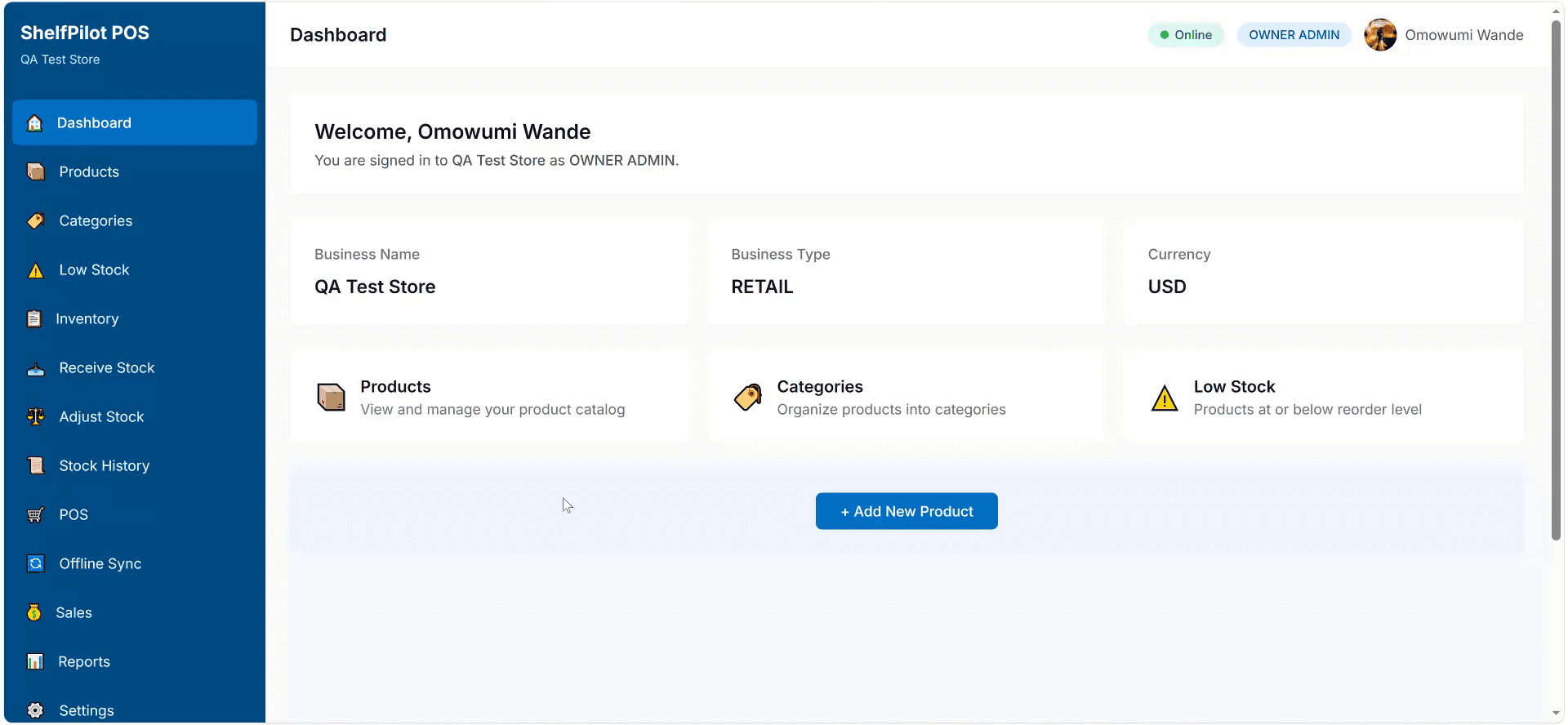
The Next.js web dashboard serves as the business command center — product management, inventory tracking, category organization, and low-stock monitoring.
Executive Dashboard
Business overview showing sales performance, inventory status, low-stock alerts, and quick access to POS and reports.
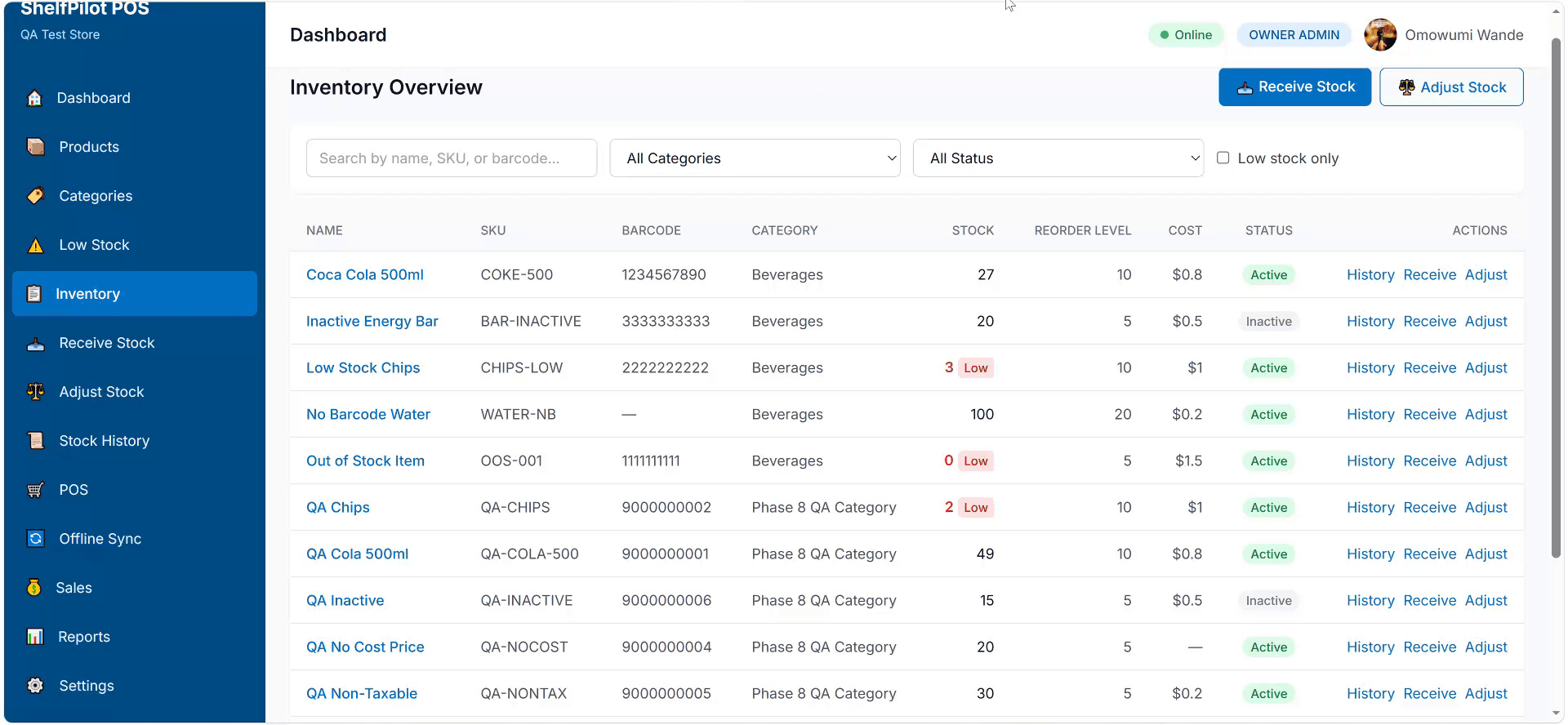
Inventory Overview
All products in inventory with stock quantities, categories, and search by name, SKU, barcode, or category.
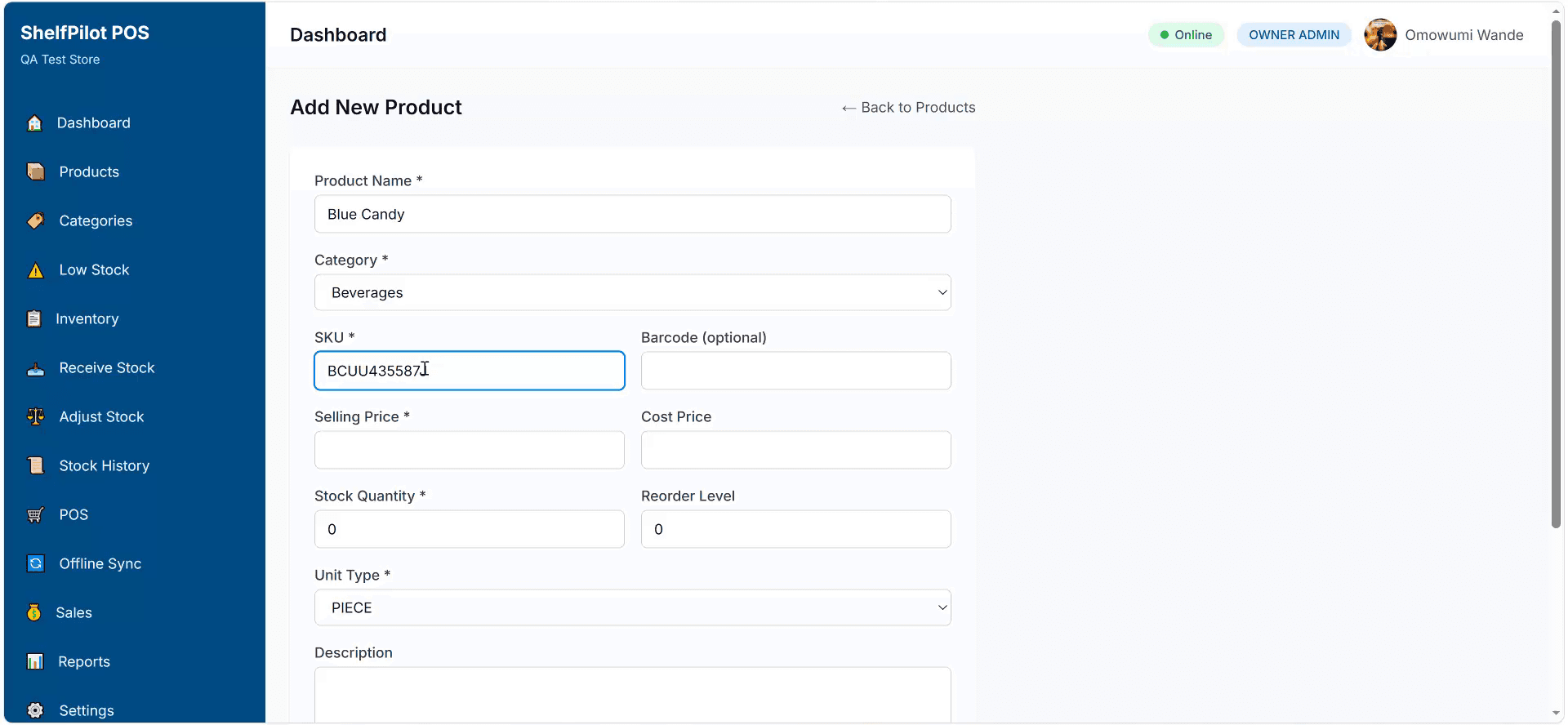
Add New Product
Product creation form with name, category, SKU, barcode, selling price, stock quantity, unit type, and taxable status.
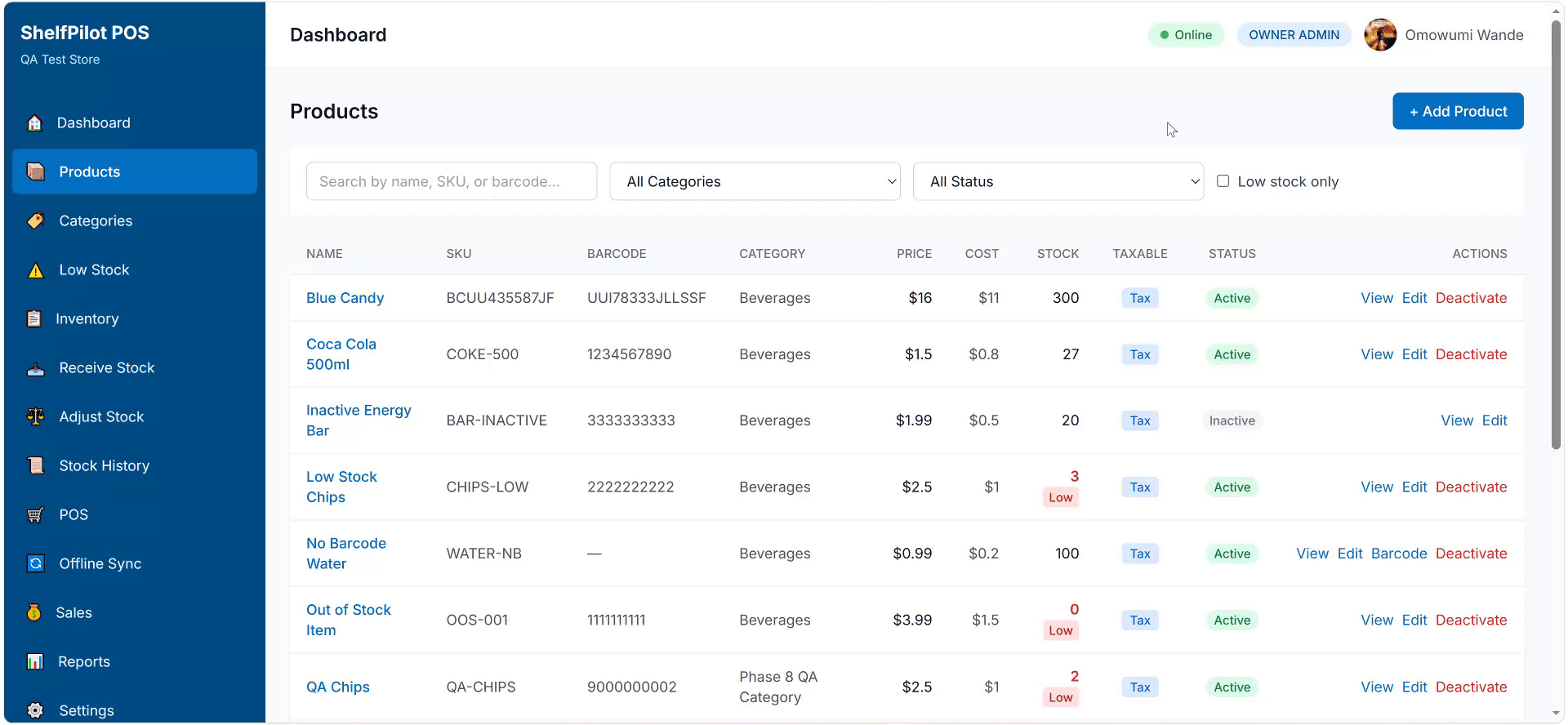
Product Catalogue
Full product catalogue with active and inactive products, prices, and stock levels.
Category and Stock Management
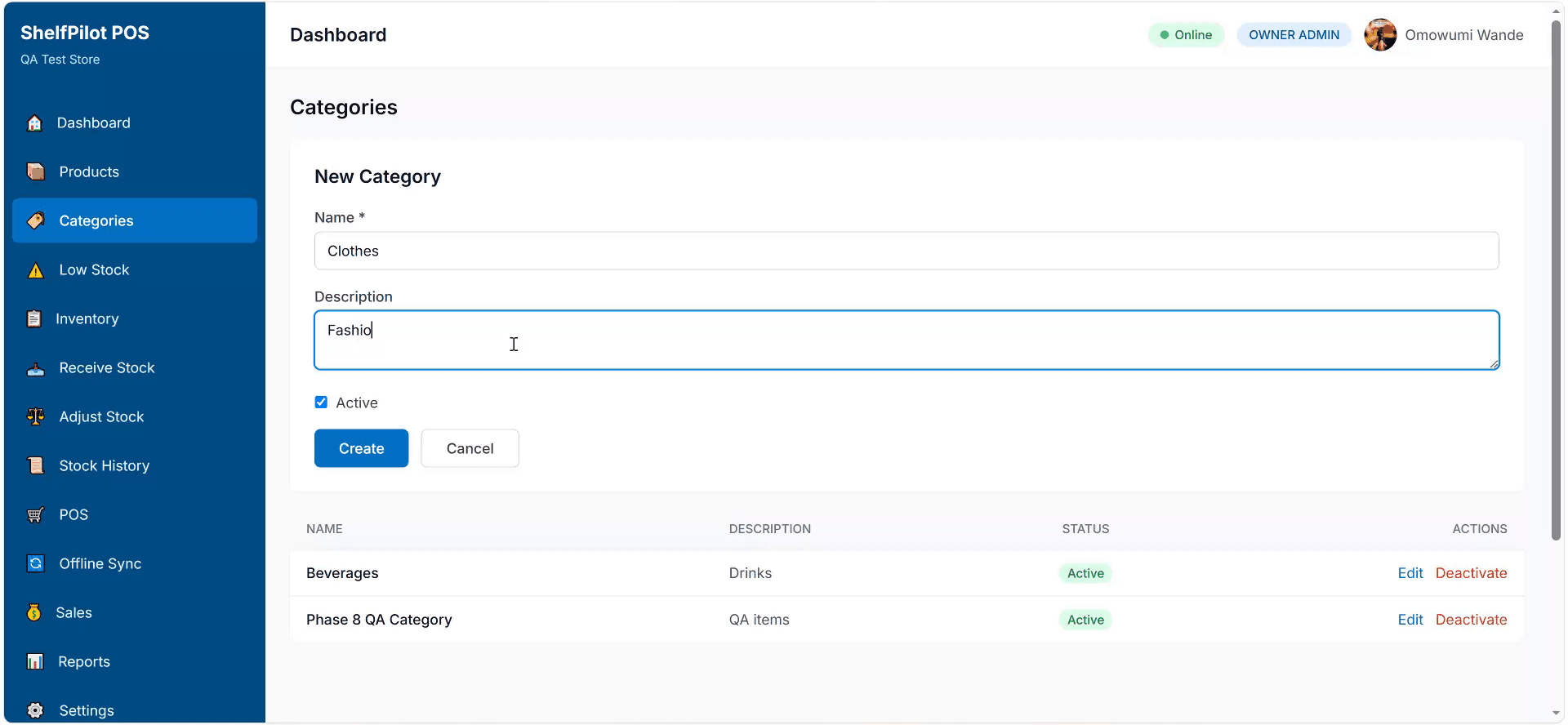
Category Management
Organize products into categories for filtering, reporting, and dashboard navigation.
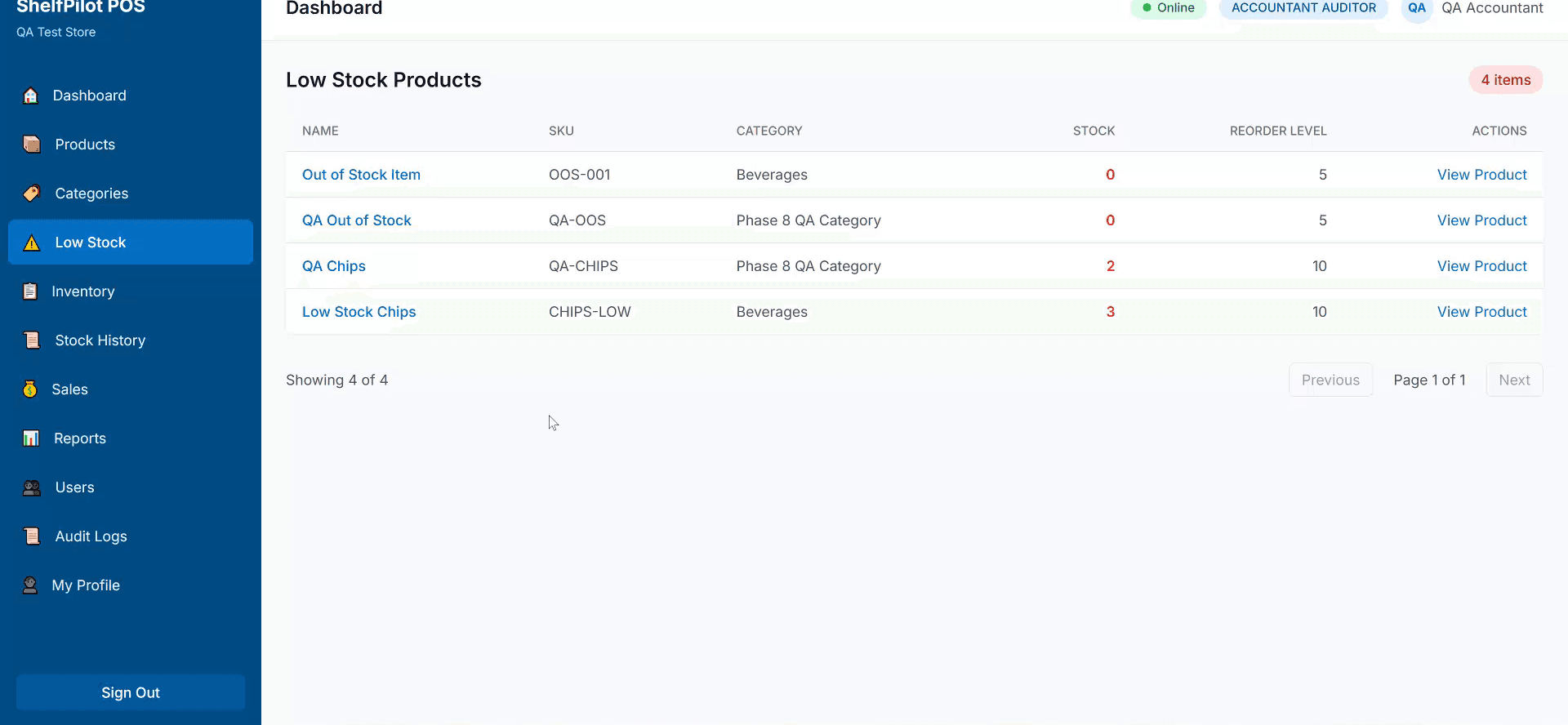
Low-Stock Alerts
Dashboard alerts for products below reorder level and fast-moving products close to stockout.
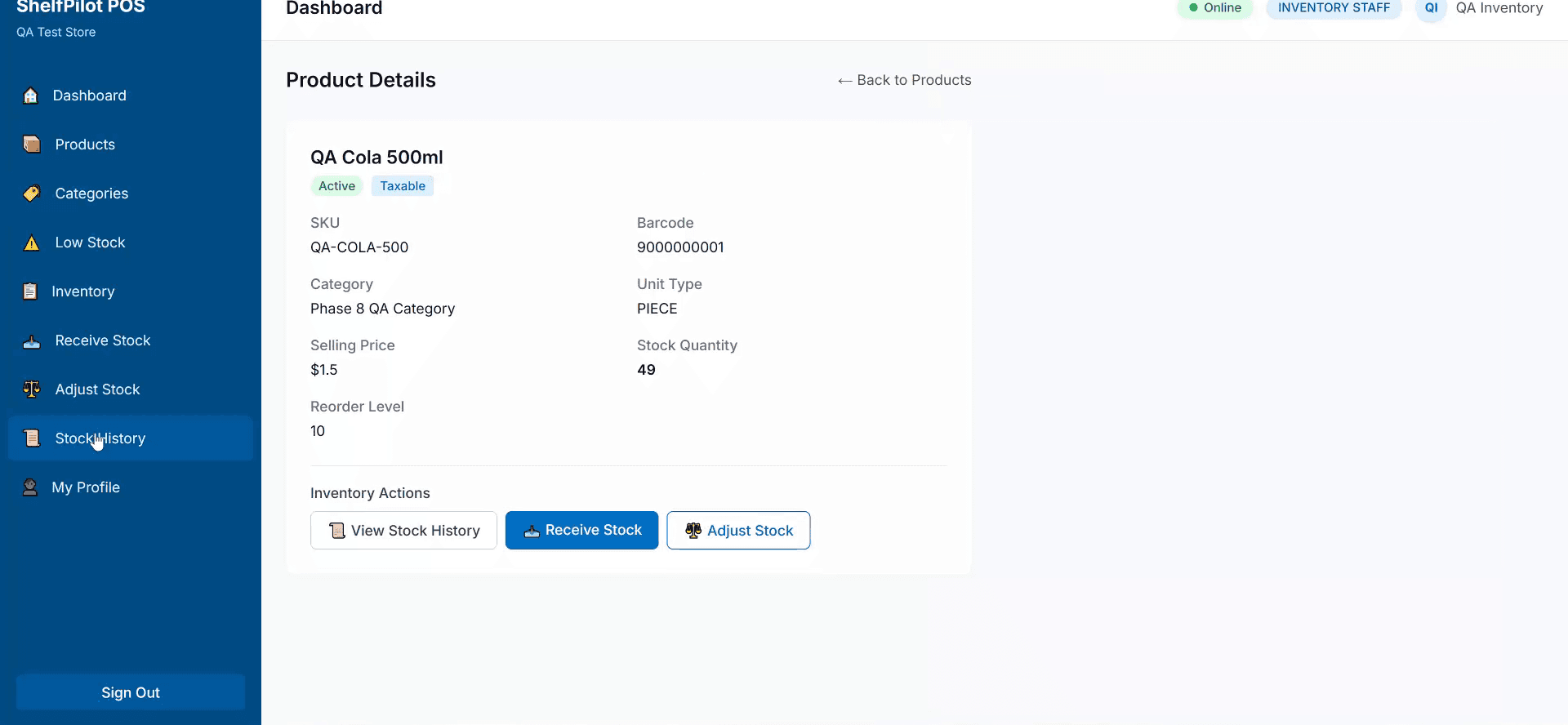
Product Details
Individual product detail view with price, stock, barcode, category, tax status, and price change history.
Sales History and Refunds
Complete sales history with date range filters, cashier information, and payment methods. Refunds require manager approval and create separate refund records linked to the original sale.
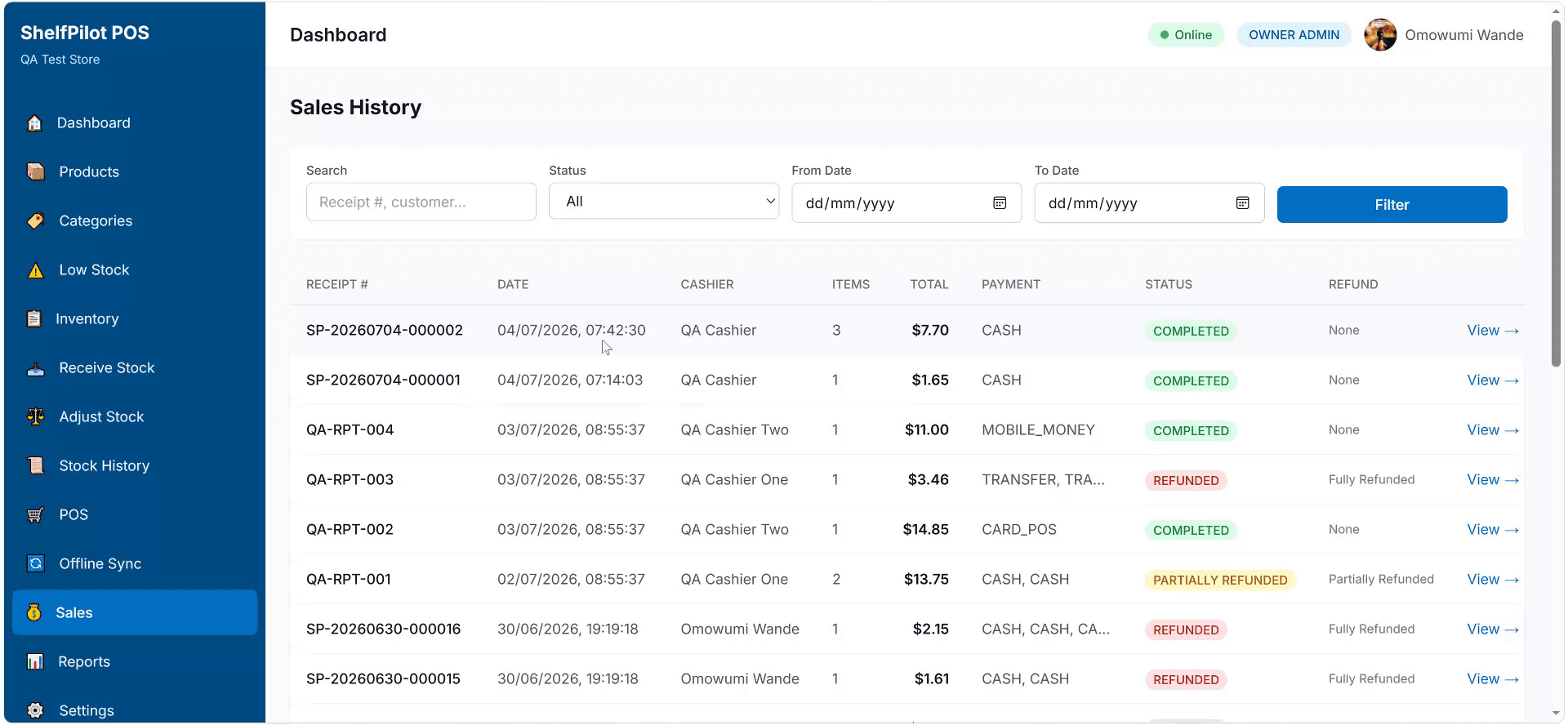
Sales History
Complete sales history with date range filters, cashier information, payment methods, and sale status.
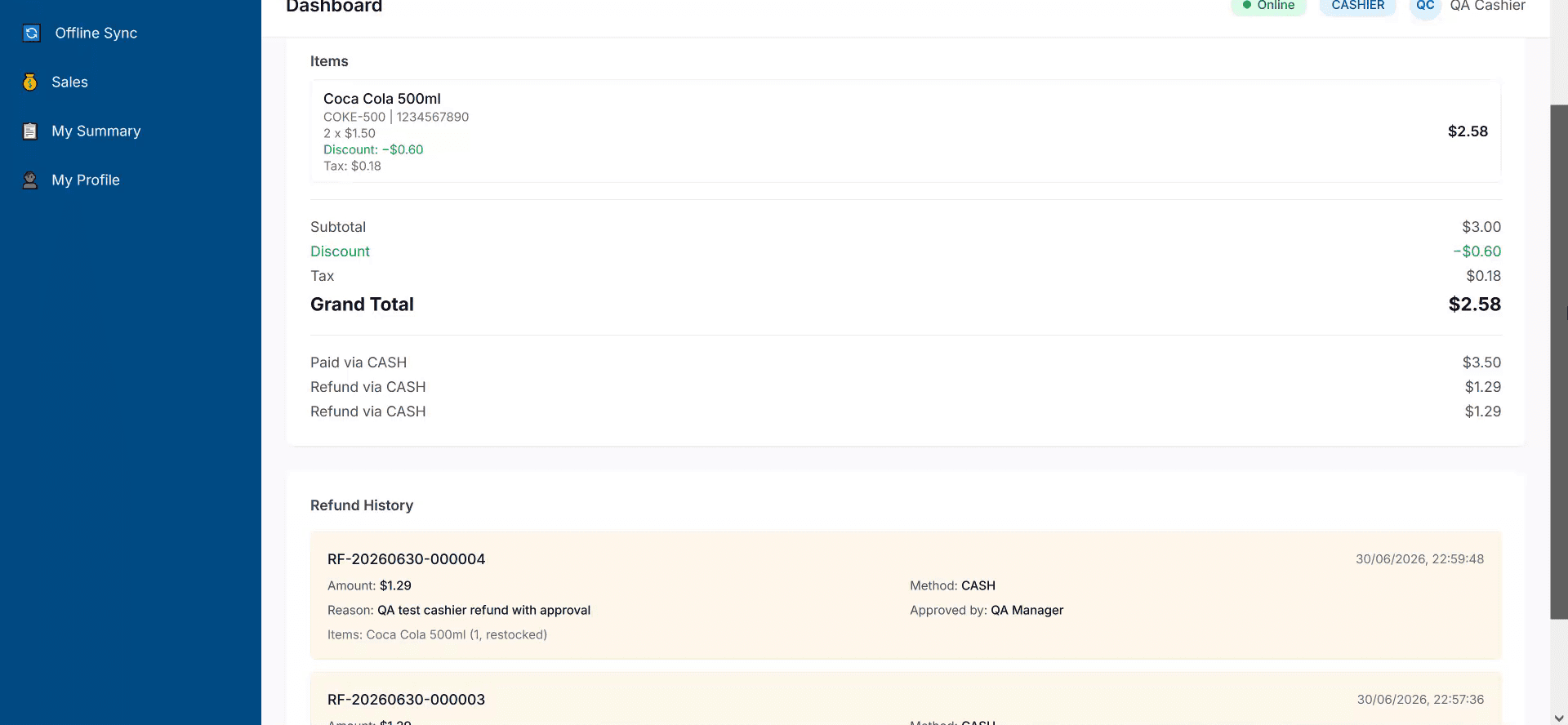
Sale and Refund Details
Individual sale detail with items, totals, payment method, and refund processing with manager approval.
Reports and Analytics
MVP reports include daily sales summary, sales by date range, sales by cashier, top-selling products, low-stock products, inventory value estimate, payment method summary, discount summary, and refund summary. Sensitive reports such as profit and cost price are hidden from unauthorized roles.
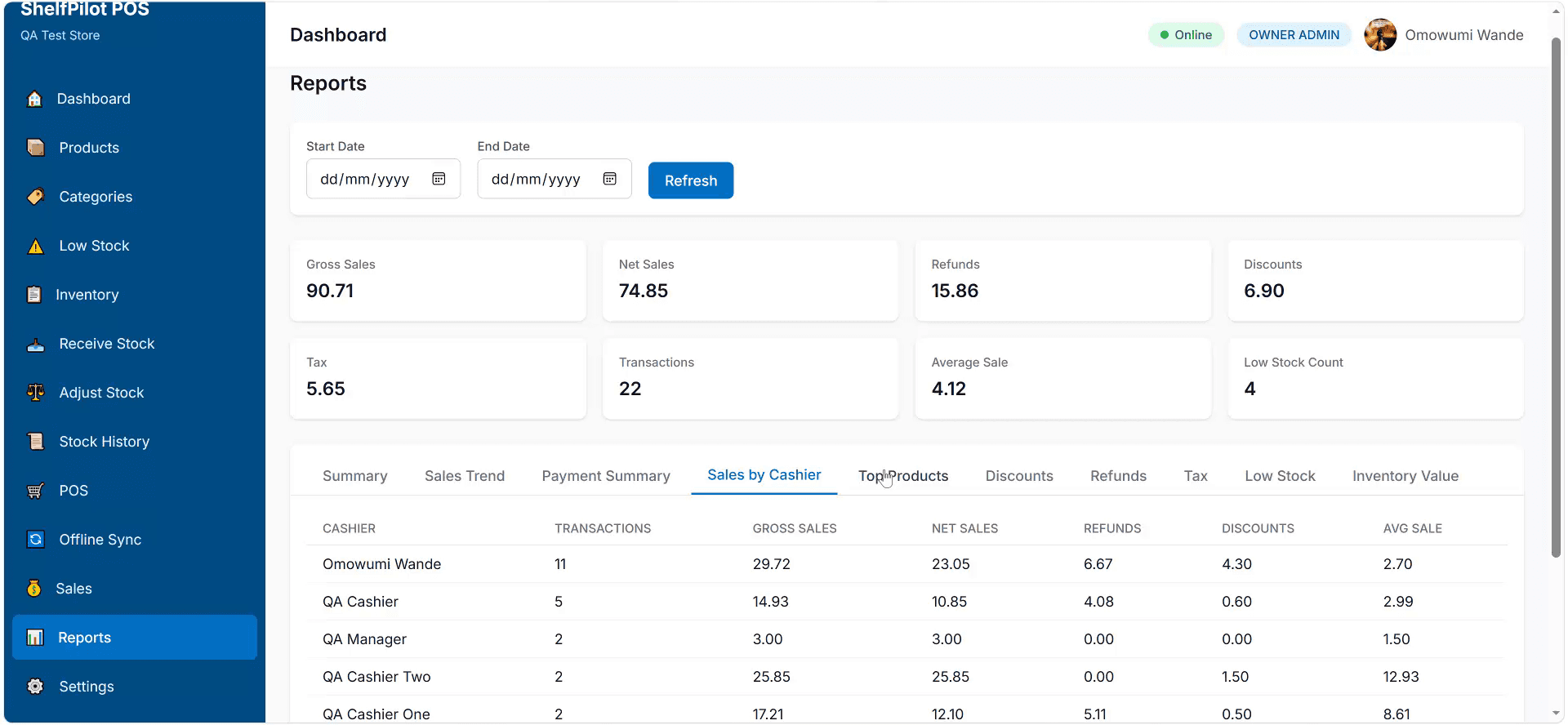
Reports and Analytics
Daily sales summary, sales by date range, top-selling products, payment method summary, and discount summary.
Security, Staff and Offline
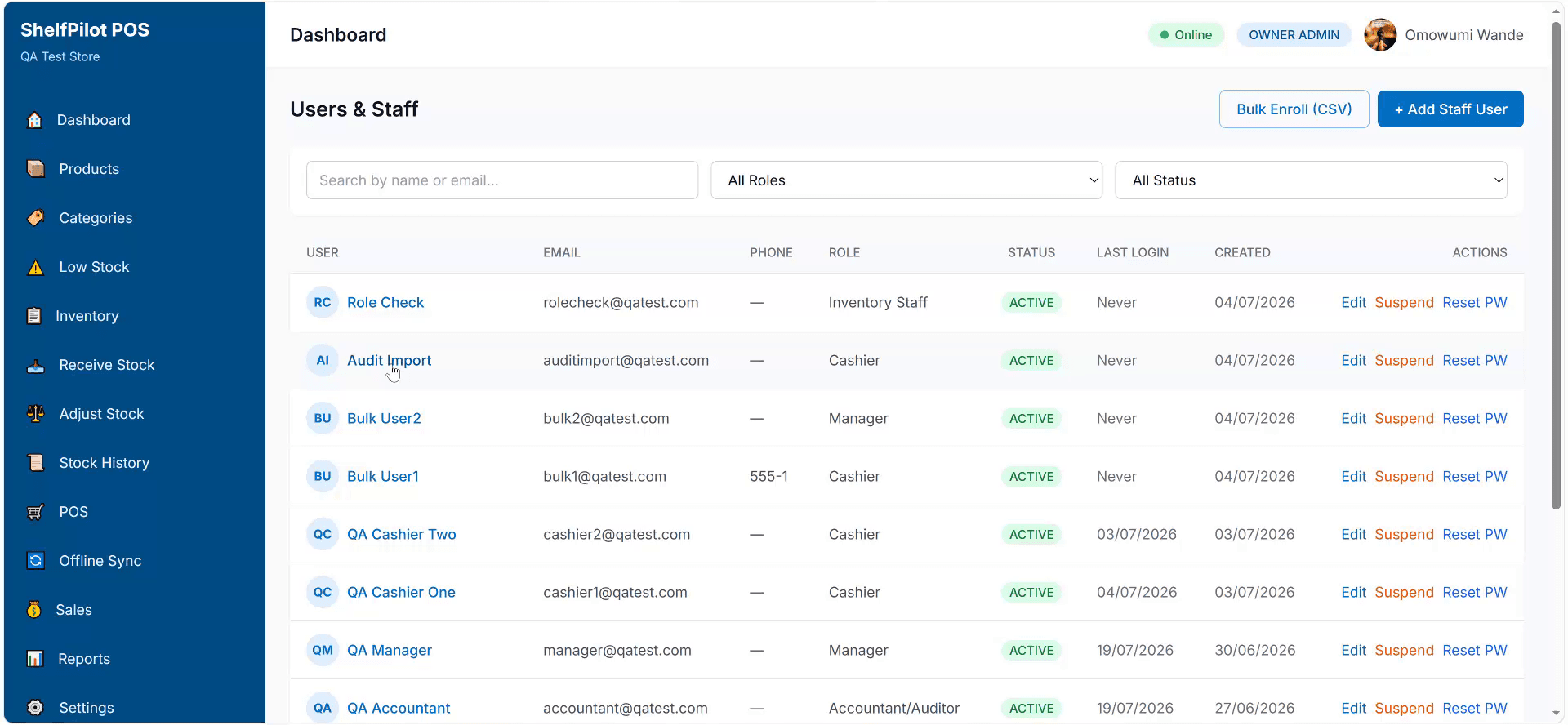
Staff and Role Management
User management with role assignment for owners, managers, cashiers, inventory staff, and accountants.
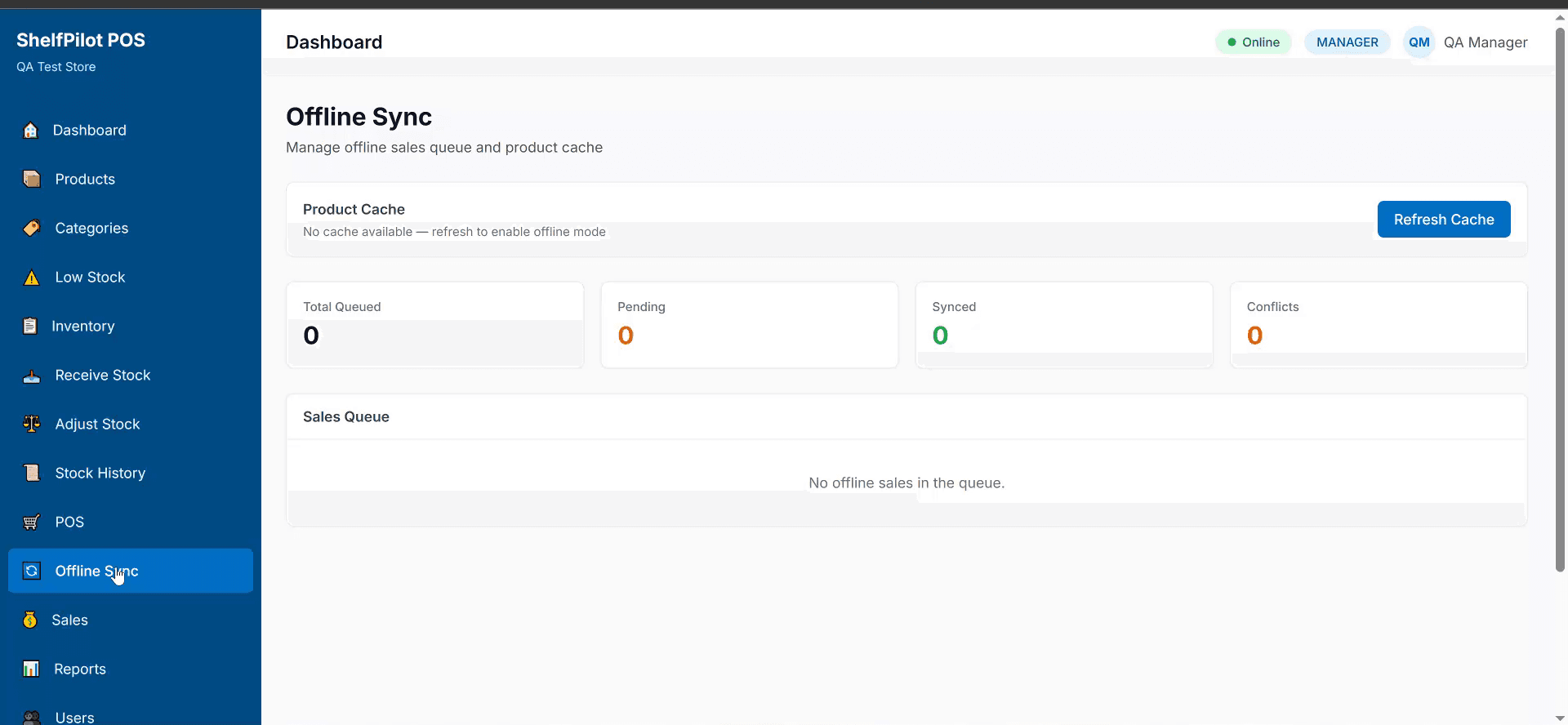
Offline Sync
When internet returns, locally queued sales sync to the backend. Admin can view sync status.
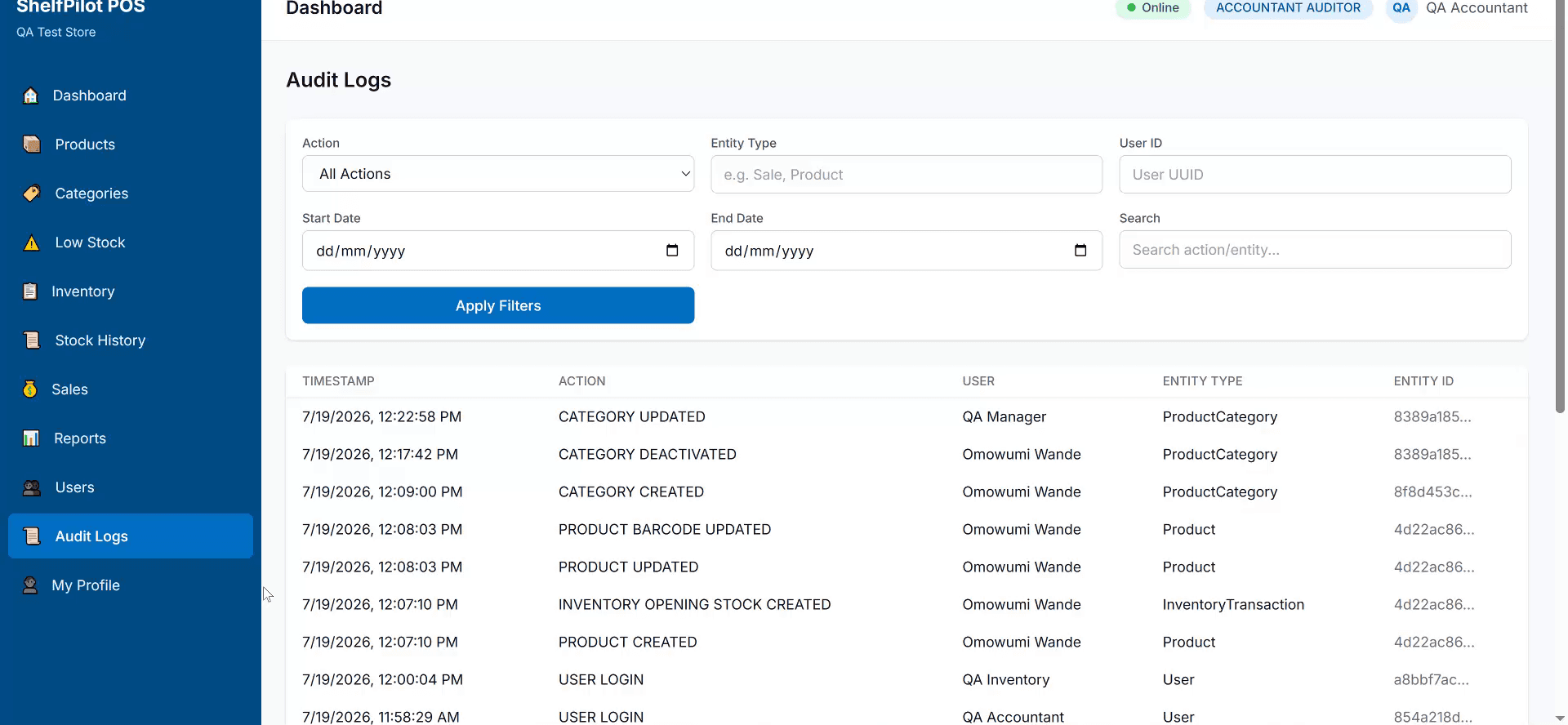
Audit Logs
Audit trail for price changes, stock adjustments, voided sales, refunds, and sensitive actions.
Differentiating Features
Paper-Saving Smart Receipt Mode
Admin selects receipt style: full, compact, or ultra-compact. Compact receipts reduce spacing, shorten long product names, and remove unnecessary blank lines.
No Barcode, No Problem
Generate barcodes for any product, print simple labels, use SKU as barcode, or create shelf tags instead of individual product stickers.
Fast Checkout Mode
Always-ready scan input, keyboard shortcuts, quick quantity edit, quick cash amount buttons, and product search by name when barcode fails.
Daily Cashier Closing
At end of shift, cashier closes register with expected cash, actual cash counted, POS/card payments, and variance report with manager approval.
Price Change History
Every price update is logged with old price, new price, user who changed it, date/time, and optional reason — preventing silent price manipulation.
Offline Sales Queue
Cashier continues selling offline. Sales are saved locally and sync automatically when internet returns. Product catalog and key settings are cached.
Mistake Prevention Warnings
System warns when product price is zero, stock is insufficient, discount is unusually high, duplicate item is scanned rapidly, or payment is below total.
Architecture
Web Dashboard
Cashier / POS
Backend API
Database
Receipts
Offline
System Diagram
  Web Dashboard (Next.js) ──▶ NestJS REST API ──▶ PostgreSQL (Prisma ORM)
      │                              │
      │                              ├──▶ Audit Log
      │                              └──▶ Receipt Generation
      │
  Cashier / POS (PWA) ──▶ NestJS REST API
      │
      ├──▶ Offline: Local sales queue → sync when online
      │
  Auth: JWT access/refresh tokens, RBAC
  Data: business_id multi-tenant isolation, soft deletes, immutable sales
  Hardware: USB/Bluetooth scanner (keyboard input), browser print, camera scanning
Security and Audit
Offline Sales Continuity
For poor internet environments, the cashier can continue selling offline. Sales are saved locally in the browser and sync to the backend when connectivity returns. The product catalog and key settings are cached locally. Admin can view sync status to confirm all offline sales have been uploaded.
Implemented MVP Features
Future Roadmap
The following features are described in the product requirements document as post-MVP or future features. They are not yet implemented.
- Digital receipts via link or QR code
- WhatsApp and email receipt sharing
- Supplier management improvements
- Purchase order management
- Customer profiles
- Multi-branch support
- Manager shift closing
- Advanced refund flow
- Product import and export by CSV or Excel
- Payment gateway integration
- Receipt printer direct ESC/POS support
- Mobile app for owners
- Expiry tracking for pharmacies
- Restaurant table and order mode
- Loyalty points
- Basic profit and margin reports
Let's Build Together
Interested in retail platforms like ShelfPilot POS?
I'm open to full-time roles, contract work, and founder collaborations in full-stack product engineering and retail technology.